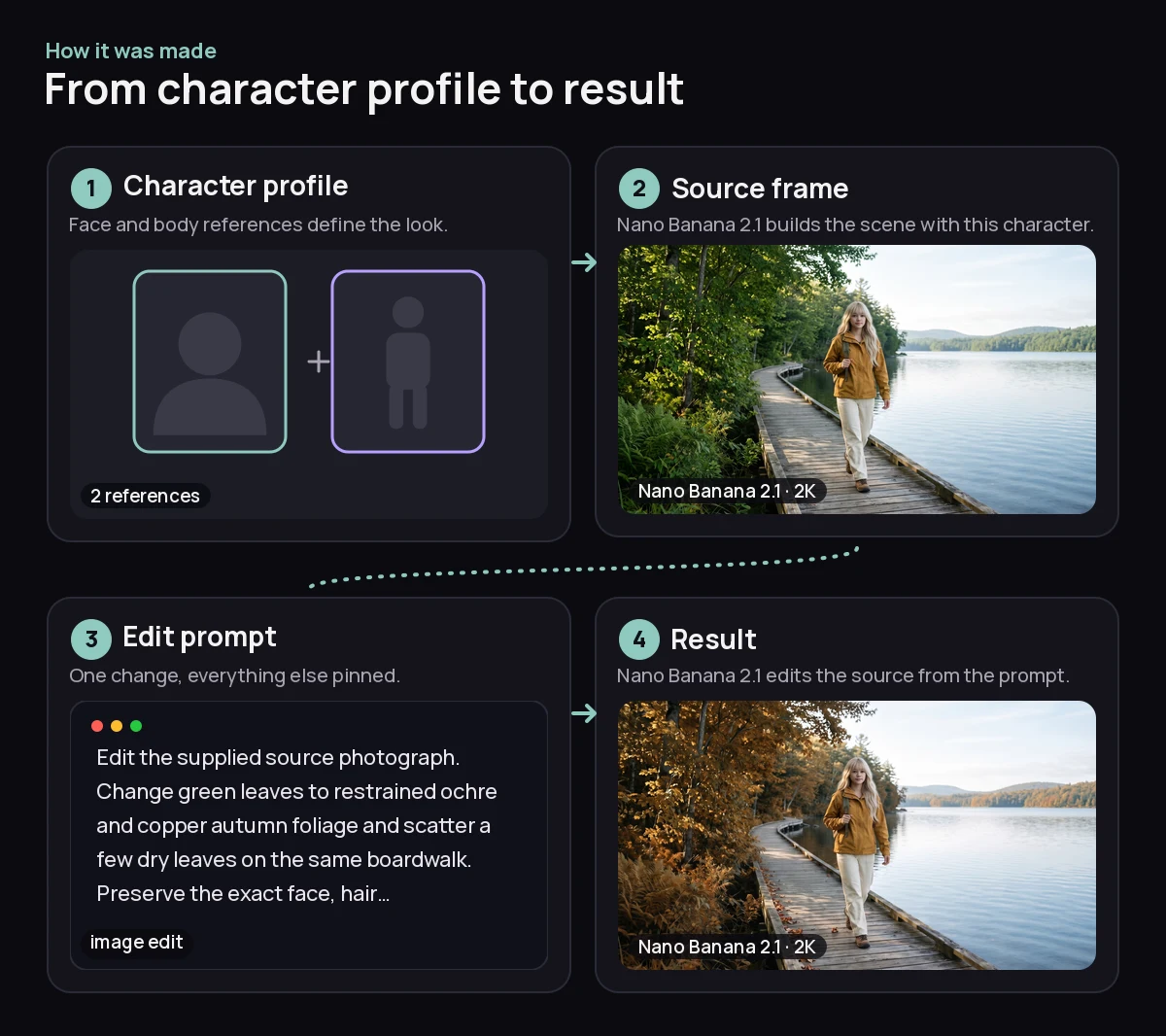
If a travel photo needs an autumn mood but the person, clothing and recognizable location must stay intact, Nano Banana 2.1 helps limit the edit to one variable: the season. Both the source and the result are AI-generated in REFVIO, not camera photographs of a real person. The saved REFVIO character profile contains face and body references; it is not the generator model and it is not evidence of custom model training.
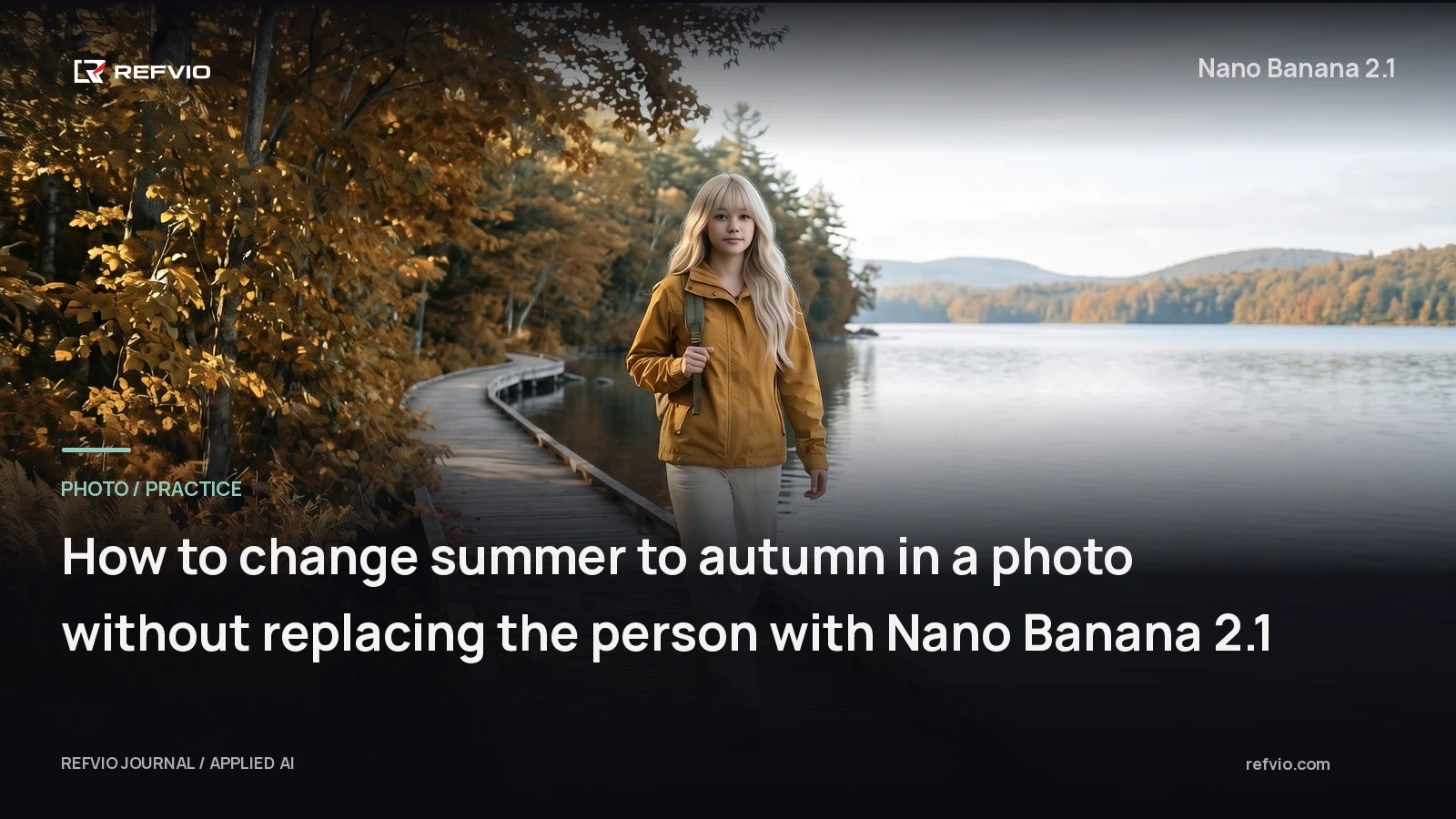
The scene is a wide environmental frame with the person on the left third of a wooden boardwalk beside a lake. Both feet, the rails, water, distant low hills and horizon should remain in place. The green foliage changes to restrained autumn color, while the rest of the photograph stays anchored to the source.
Source and actual generated result
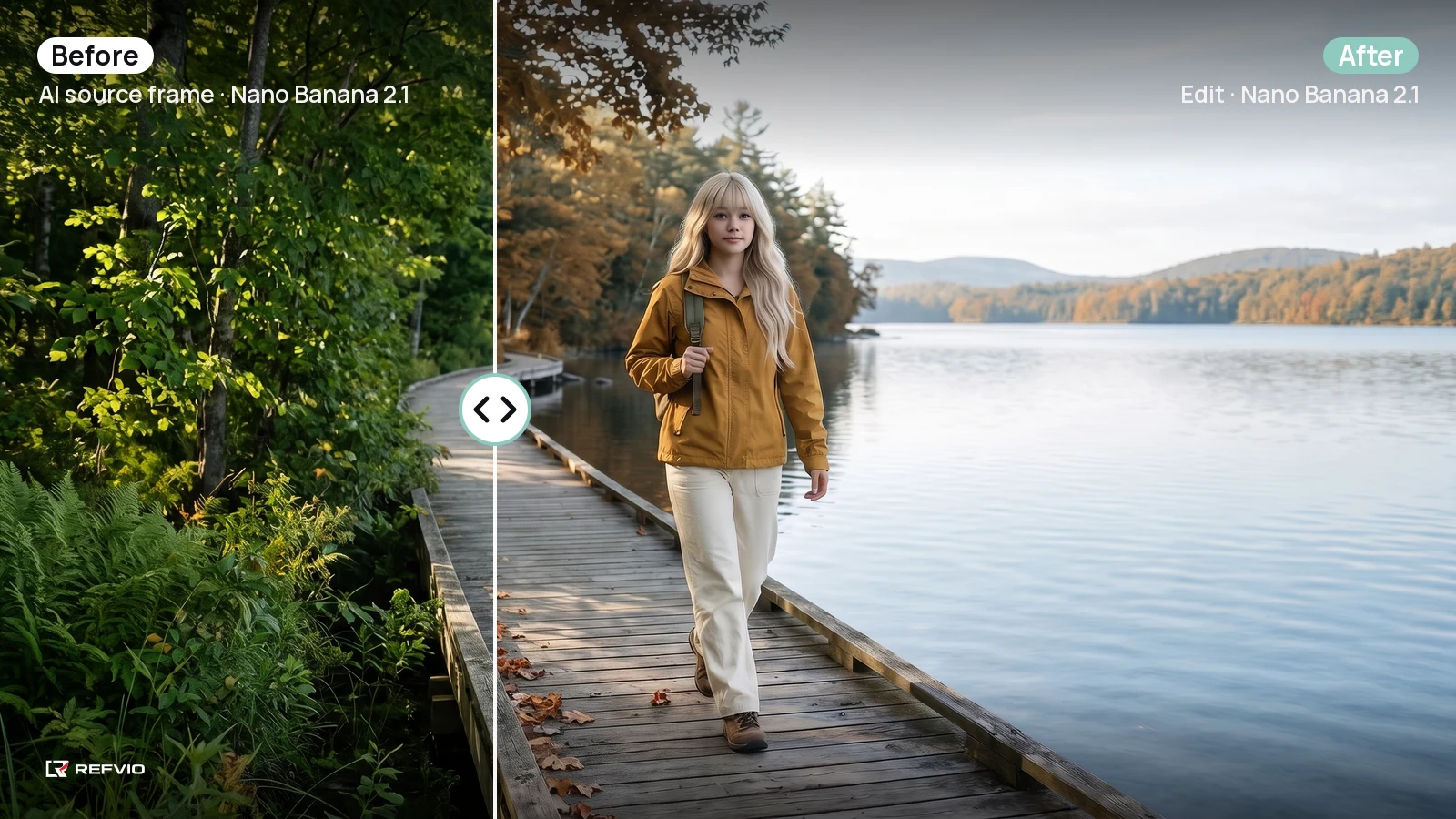
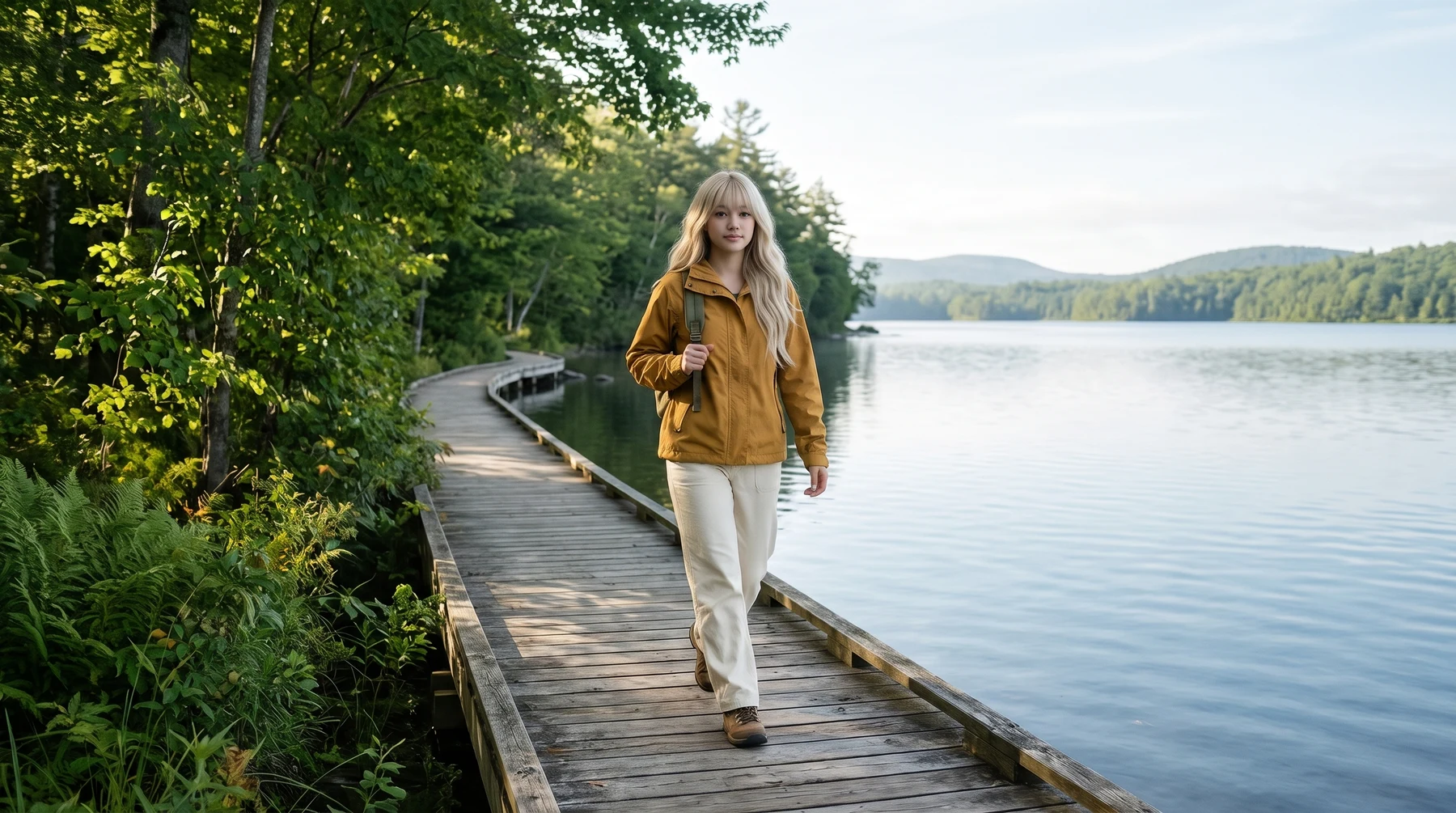
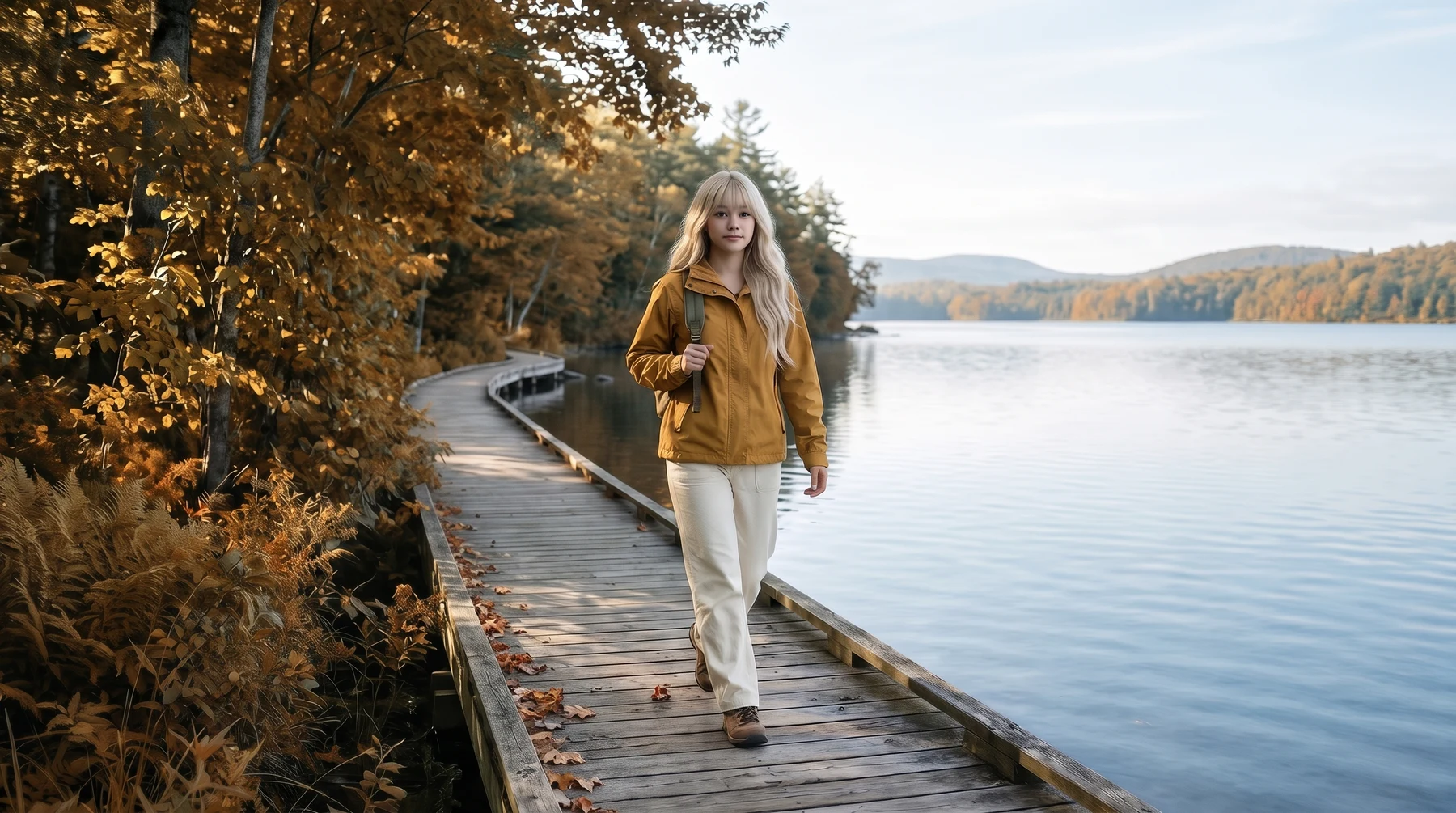
What Nano Banana 2.1 does in this example
Nano Banana 2.1 first creates the AI-generated source scene from a face reference, an ordinary body reference and the location description. For the edit, the same Nano Banana 2.1 receives that single generated source image and a narrow instruction: replace the summer foliage with ochre and copper autumn foliage, adding a few dry leaves to the same boardwalk. That input fits the task because the source already establishes the composition, person and identifiable location. The configured controls are the 16:9 aspect ratio and requested 2K resolution. The limitation matters: asking the generator to preserve the face, clothing and geometry is a request, not a guarantee. Generation is not deterministic, so the same instruction does not have to produce the same result every time.
The character profile and the generator have separate jobs. The profile supplies face and body references for the source scene; Nano Banana 2.1 synthesizes the image and then performs the edit.
The autumn change requested for this boardwalk
Edit the supplied source photograph. Change green leaves to restrained ochre and copper autumn foliage and scatter a few dry leaves on the same boardwalk. Preserve the exact face, hair, pose, jacket, backpack, lake, hills, boardwalk geometry, camera and daylight direction. No snow, new buildings or invented landmarks. Preserve the recognizable identity from the source. Keep the lens character, grain and photographic style of the source except where this edit requires a change. Single coherent 16:9 landscape photograph, no collage, added text or watermark.
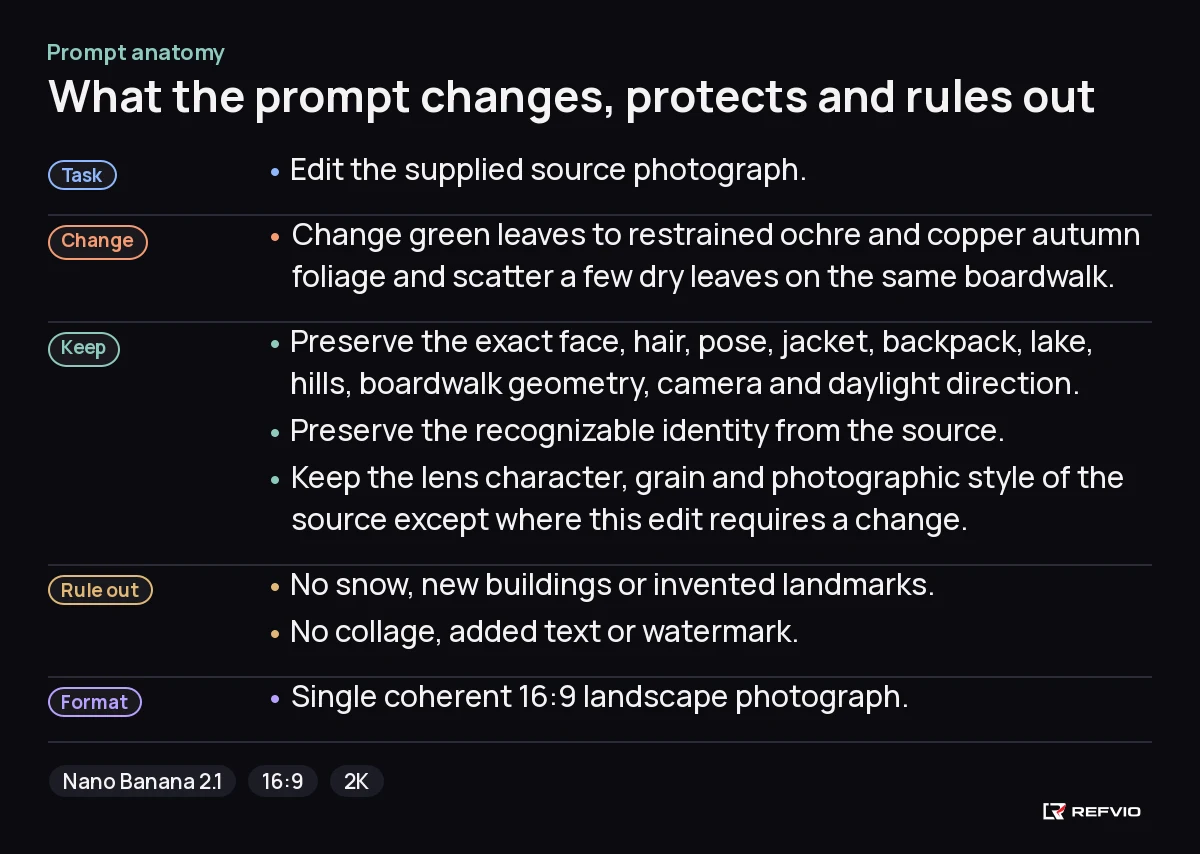
The prompt asks for a seasonal edit only: a new foliage color and a small amount of dry leaves. It also locks the face, hair, pose, mustard jacket, backpack, lake, hills, boardwalk geometry, daylight direction and photographic character. The exclusions for snow, new buildings and invented landmarks reduce the room for unrelated additions.
A six-step workflow
- Select Nano Banana 2.1 in REFVIO. Check the exact generator name, because the saved character profile with face and body references is separate from the image engine.
- Prepare the source scene with the face reference first and the ordinary body reference second. Confirm that the description includes the lake, boardwalk, both feet, distant hills and late-summer greenery.
- Supply the generated source image as the editing reference. Do not replace it with a new portrait at this stage; the edit needs the existing travel composition.
- Paste the instruction for autumn foliage and dry leaves. Check that it also preserves the jacket, backpack, face, pose and daylight direction, so “autumn” does not become a broad color grade.
- Apply the supplied 16:9 aspect ratio and 2K resolution. These are requested output settings that support the wide environmental frame instead of an accidental vertical portrait.
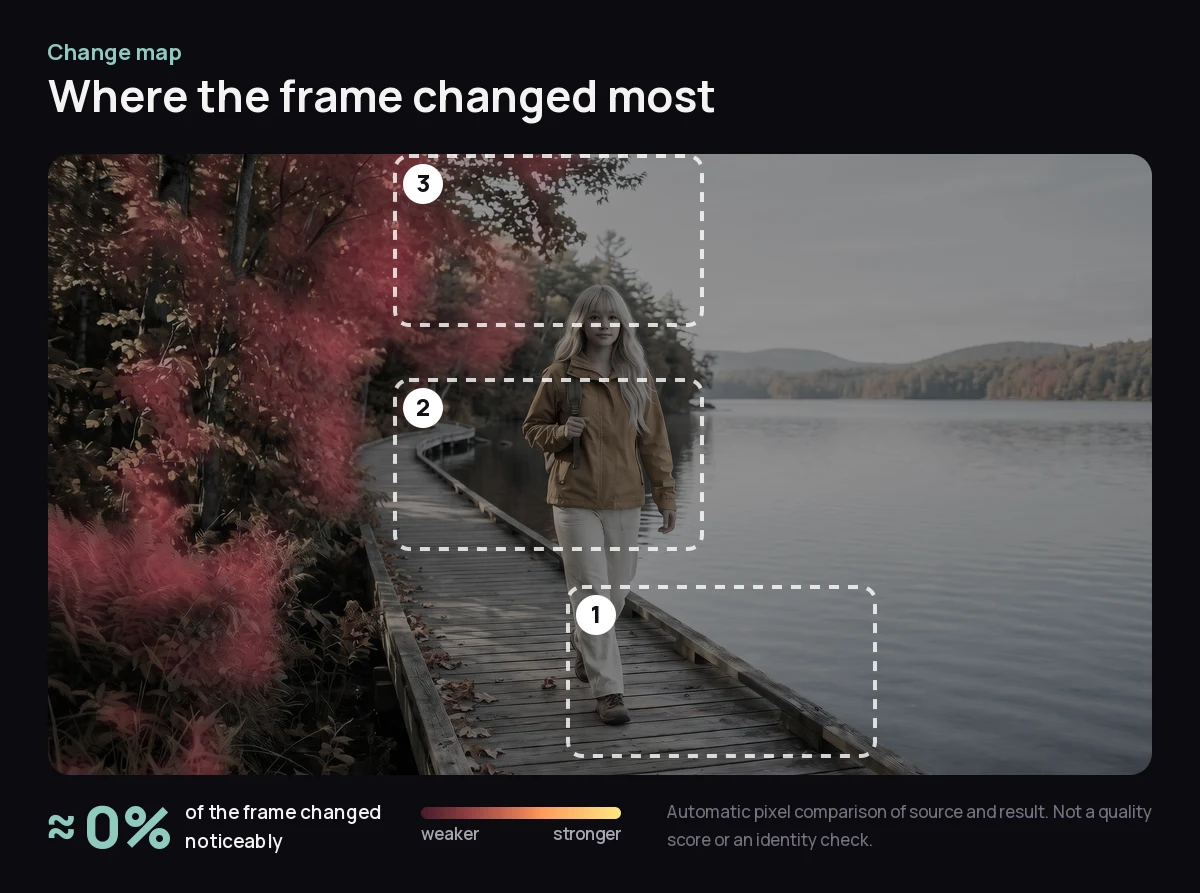
- Compare the source and result by the boardwalk rails, horizon, lake and hills, then inspect the face, skin and clothing. If an unwanted detail changes, narrow the next instruction to that specific object.
Checks that catch an overbroad edit
Compare the rails and boardwalk geometry first, then the horizon and the person’s placement. A face check alone cannot show whether the location stayed stable. Look for an autumn tint spreading onto the mustard jacket or skin. Also check for snow, new buildings or unfamiliar details near the water.
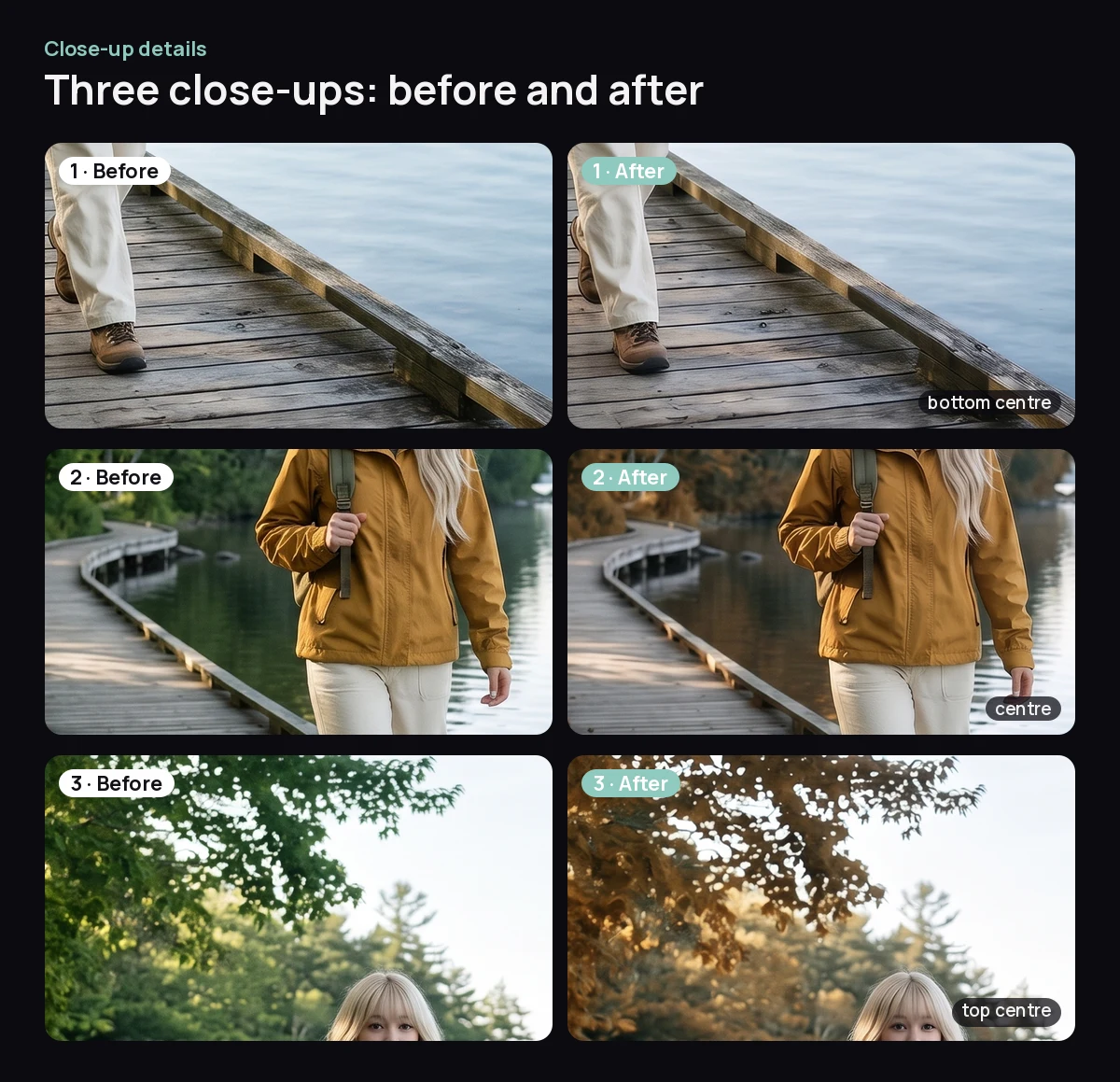
Bad instruction: “Make this photo a beautiful autumn version.” It leaves too many decisions open. Better: “Change only the green leaves to restrained ochre and copper, and add a few dry leaves to the same boardwalk; do not change the jacket, skin, face, rails, lake or horizon.” This is guidance for a next attempt, not a tested second generation.
The generator can synthesize detail that was not visible in the source. Treat new leaves or board texture as generated content, not authentic recovery of hidden information.
Final pre-save checklist
- the season changed without recoloring the jacket or skin;
- the face, hair, pose and backpack match the source;
- the rails, boardwalk, lake, hills and horizon remain aligned;
- there is no snow, new construction, text or watermark;
- the image remains 16:9 and the requested result is 2K.
If one check fails, do not make the prompt broader. Name the unwanted change and request only that correction.