Need a wide advertising banner, but the character or product already fills the whole frame? Start from the existing scene, preserve the face, hair, and suit, then reshape the composition around an open left side. This gives a headline, price, or short benefit room to remain readable without covering the subject.
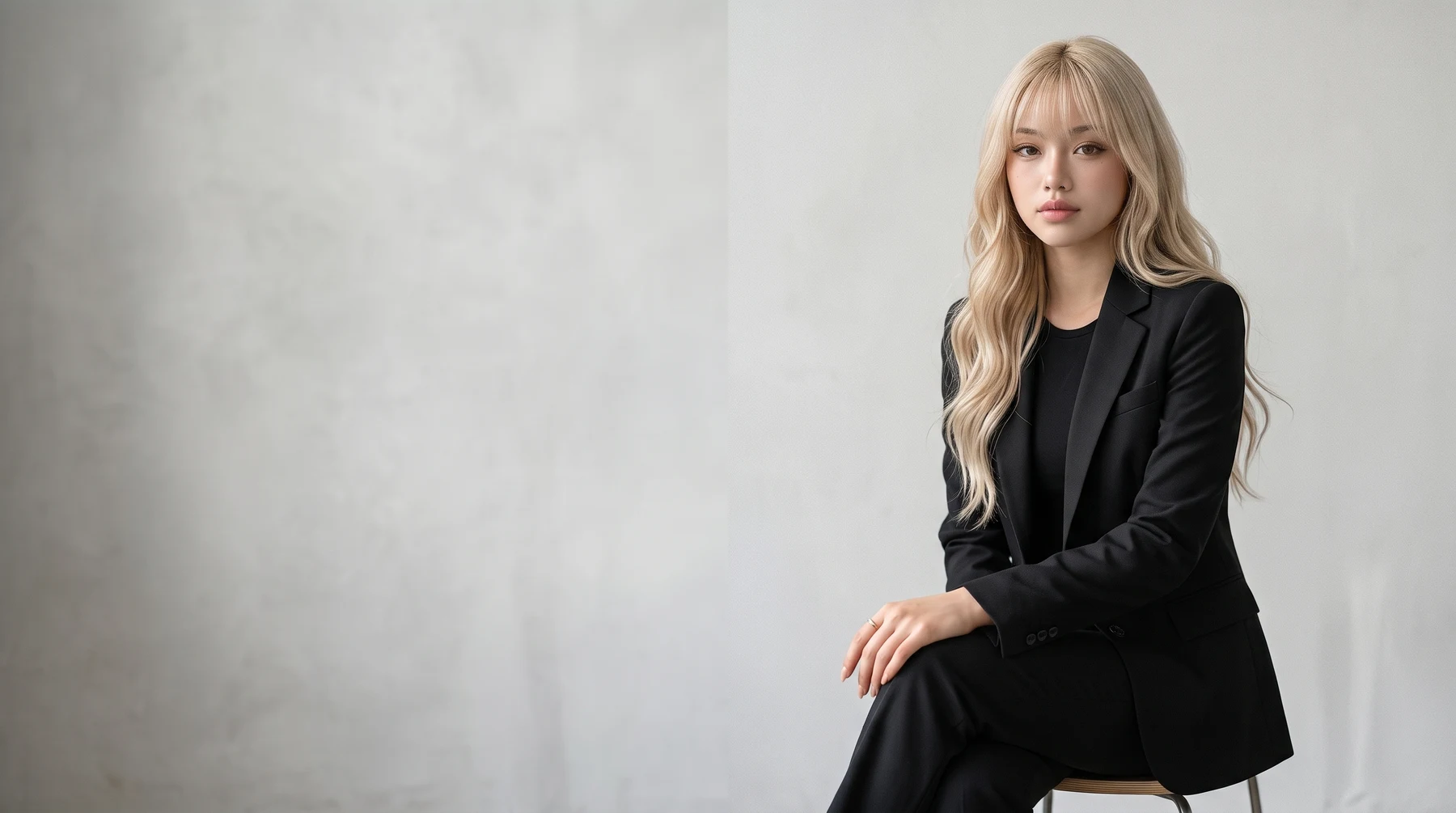
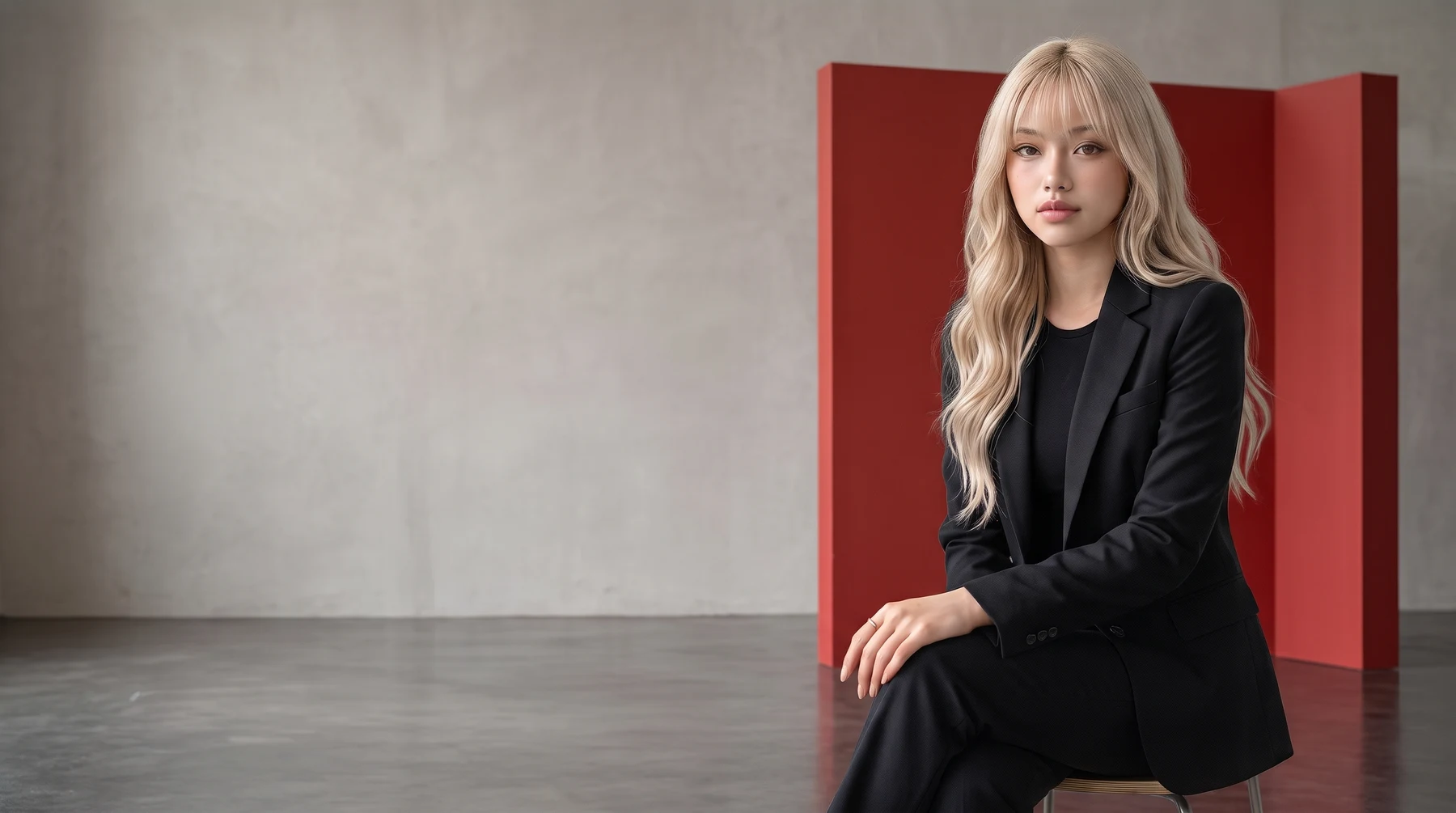
Both images in this example are AI-generated in REFVIO with the same character; they are not camera photographs of a real person. The source uses face and body references, while the result uses the completed source frame. The two stages have the same model name but different roles: first create the base scene, then edit it with a text instruction.
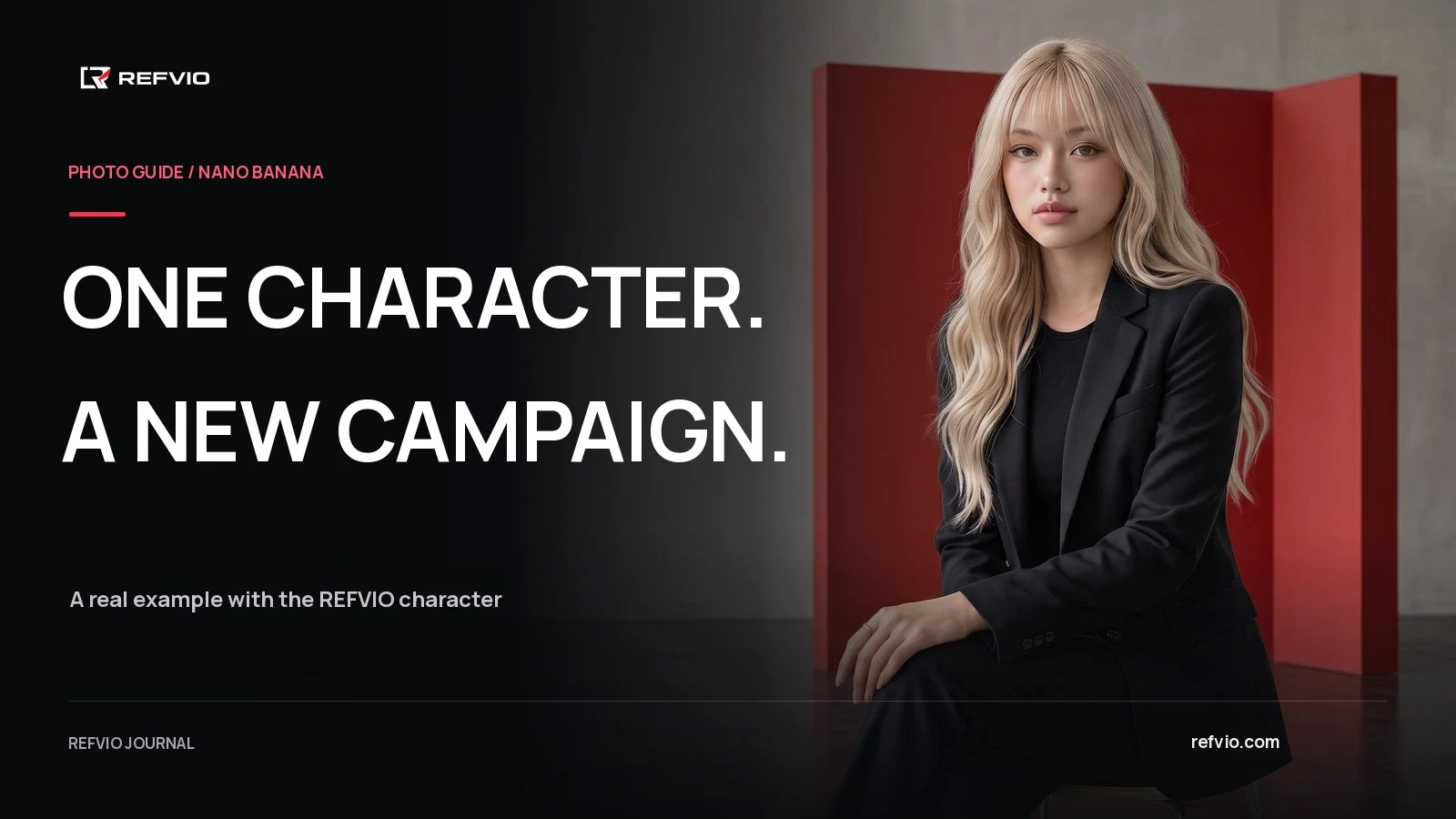
Source and actual generated result
What should stay fixed
Character recognition matters in an advertising banner. The source description fixes the face, blonde hair, hairline, eye appearance, and ordinary proportions. It also establishes a fully covered black suit, a neutral studio, and a 16:9 landscape composition. Keep these elements unchanged during the edit.
The result prompt explicitly asks to preserve the face, hair, and outfit. The edit changes the environment and the distribution of space: the character moves into a minimalist studio with one red geometric panel and soft floor reflections. A generous uncluttered area remains on the left, with no text or logos.
Separating the fixed elements from the intended edit makes the request easier to control. Asking for a new outfit, pose, background, lighting setup, and banner composition at once gives the model too many independent decisions. Listing each group separately gives the instruction a clearer priority. Generation is not deterministic, so a preservation request does not guarantee a pixel-identical repeat.
The day-to-night prompt
Edit the supplied source photograph. Keep the same face, hair and outfit. Place the character in a premium minimalist studio with a single red geometric panel and soft floor reflections, allowing generous empty space on the left for layout. No text, no logos. Preserve the recognizable identity from the source. Single coherent editorial photograph, no collage, no added text, no watermark. 16:9 landscape.
This instruction changes the setting around the character while keeping the left side clean for later design work. It also prohibits text, logos, collage elements, and a watermark. The 16:9 landscape format remains in place, making the frame suitable as a wide banner base. Add the final headline during layout rather than asking the image model to render it.
A compact REFVIO workflow
Use this sequence:
- select Nano Banana 2.1 in REFVIO;
- provide the source photograph as the editing reference;
- paste the prompt above without internal technical parameters;
- use the supplied 16:9 aspect ratio and 2K resolution;
- compare the result with the source by checking the face, hair, outfit, and open left area.
Check the composition first, then the decorative details. If the left side is calm and broad enough for the planned headline, move on to the banner layout. Assess whether the red panel is too dominant for the intended typography. It should support the design without competing with the message.
What to review before layout
A short checklist is enough for this use case:
- the character remains on the right side of the composition;
- the face, hairstyle, and suit follow the source brief;
- the left side contains no accidental text, logo, or distracting object;
- the frame remains 16:9 landscape;
- the 2K output provides enough detail for the planned banner.
If the open area is not large enough, refine only the composition instruction instead of replacing the whole prompt. Emphasize “generous uncluttered space on the left for layout” while keeping the other constraints unchanged. This targeted adjustment is more practical than rebuilding the scene from scratch.