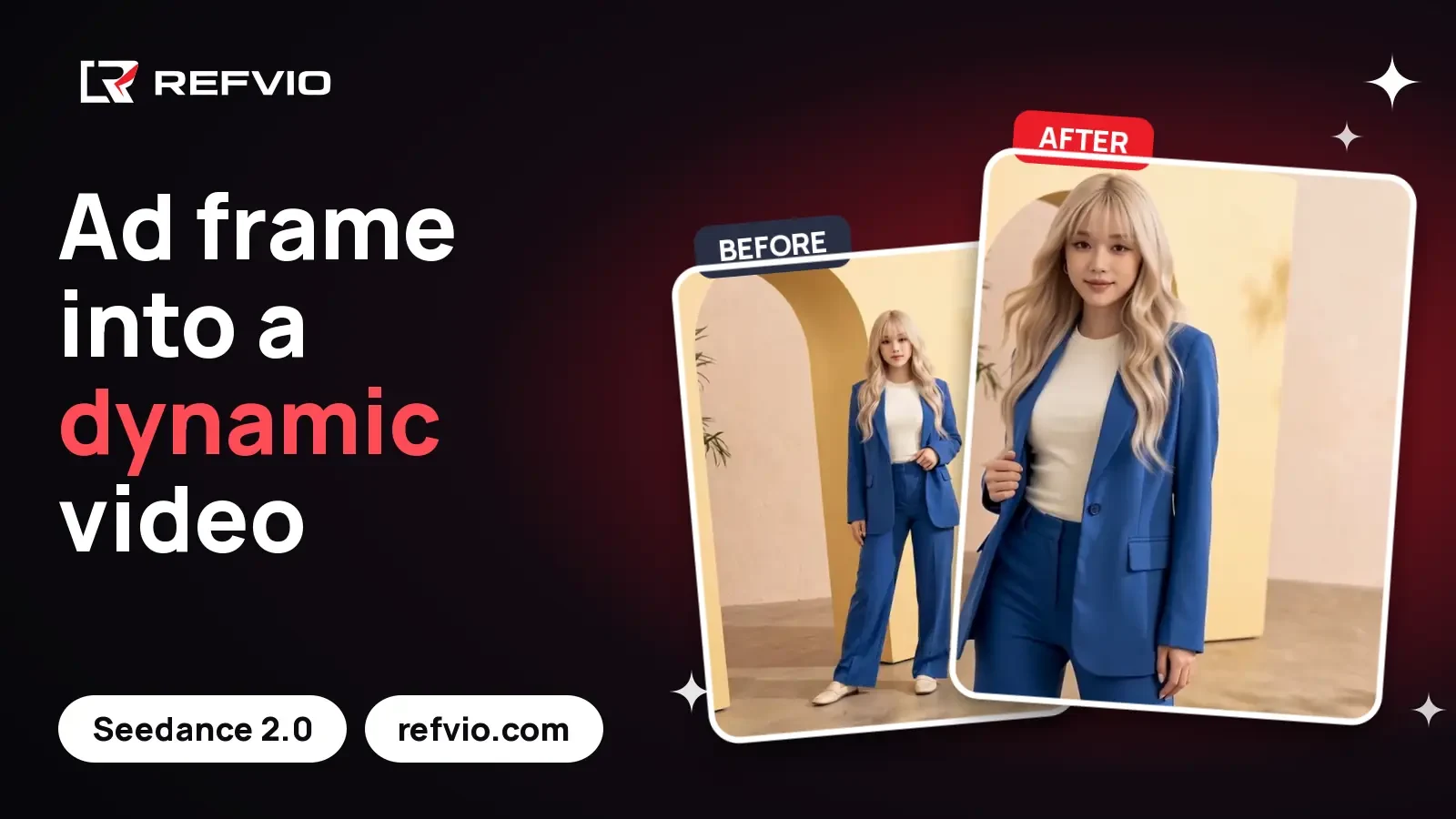
The advertising frame is ready: the character stands by a yellow arch and the right side is left clear for future copy. But a Reels clip or a teaser needs motion, not a still. Seedance 2.0 in the Animate photo mode turns a frame like this into a 10-second clip: the character walks toward the camera, the camera glides sideways, and the composition stays usable as an ad.
The source frame and the clip are AI-generated in REFVIO with its character profile, not camera footage of a real person. The profile stores face and body references. It helps create the source image first, and the finished frame is then sent to the video stage.
Source and actual generated result
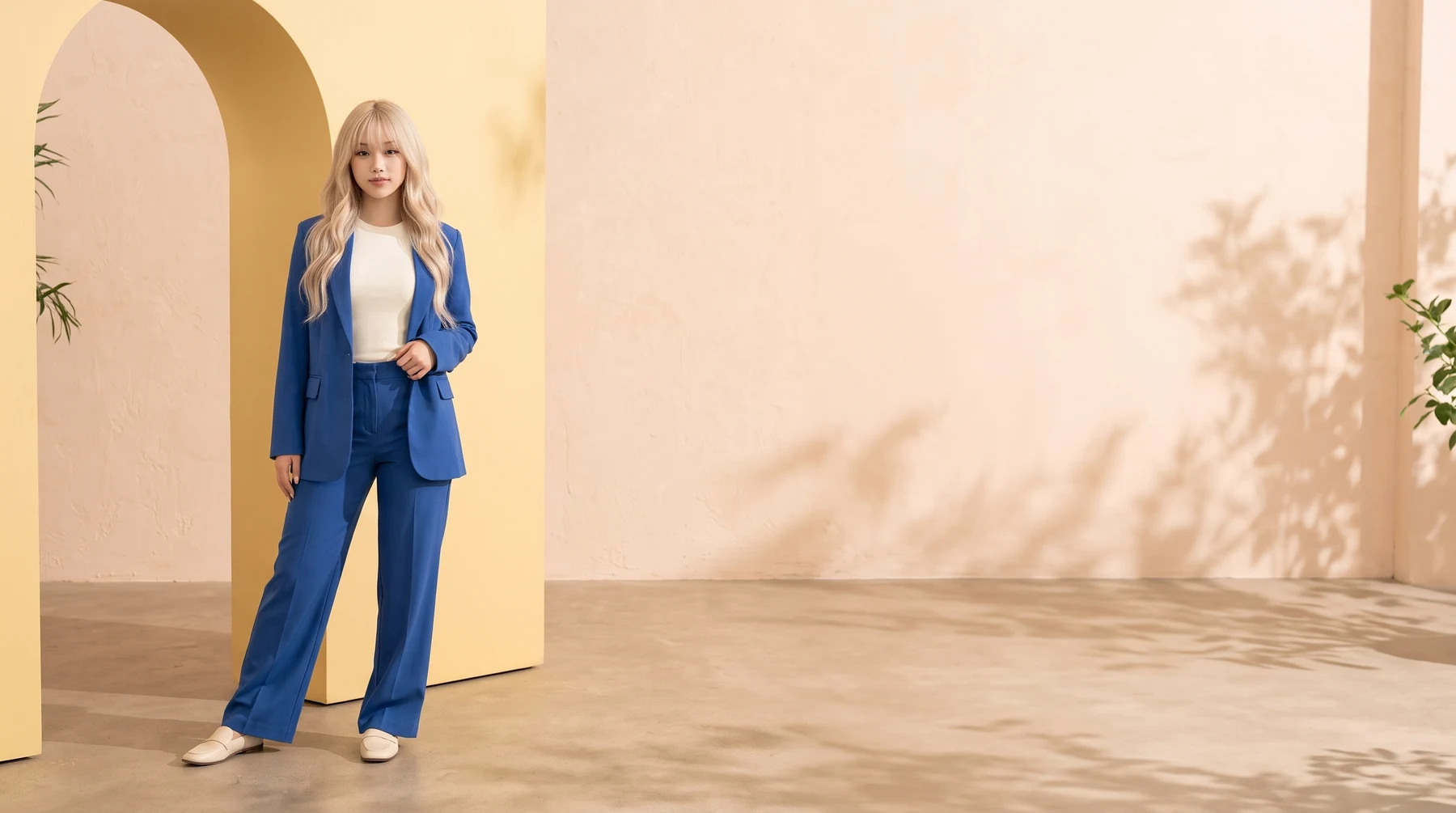
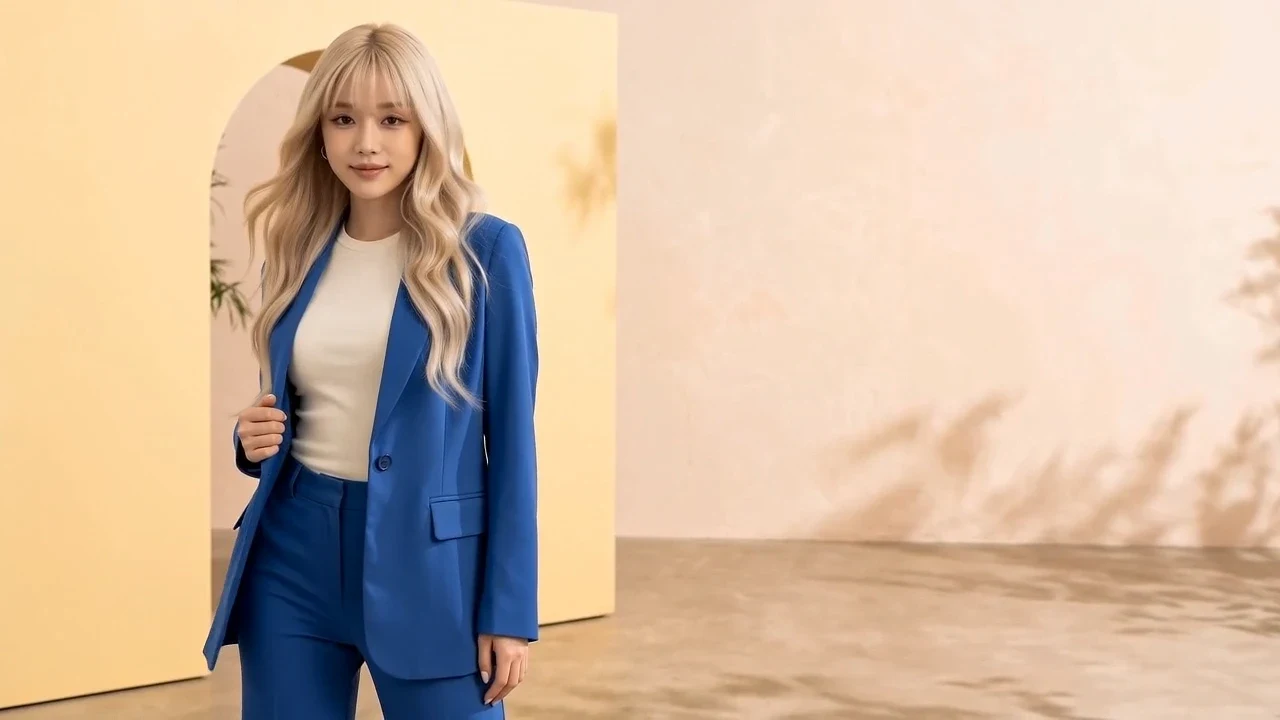
What Seedance 2.0 does in this example
The model receives one starting frame and a motion description. There is no input video and no end frame. Its job is to extend the finished advertising image into 10 seconds of continuous motion, not to create the look from scratch. Nano Banana 2.1 handles the source scene: it uses the character's face and body references and makes the 16:9 frame.
Clip settings: Animate photo mode, format taken from the source frame (16:9), 720p, 10 seconds, sound off.
The prompt: from a static ad to motion
Write Seedance prompts in English for more precise results.
Animate the supplied campaign photograph as a dynamic fashion teaser. The woman in the cobalt suit takes two confident steps forward, turns her shoulders toward the camera with a slight smile, adjusts her jacket lapel with one hand, then settles into a poised stance. A soft breeze moves her hair and the jacket hem, and the plant shadows drift gently across the floor. The camera makes a smooth lateral slide to the right with gentle parallax against the yellow arch. Keep the same face, hairstyle, cobalt suit, yellow arch and peach set, and keep the clean empty space on the right side of the frame. Natural motion, correct hands and fingers, realistic motion only. No scene change, no text, no logos, no cuts.
What matters in it:
- The character's movement and the camera movement are described separately: she walks forward while the camera slides sideways. The frame develops instead of just swaying.
- Small living details (breeze, hair, jacket hem, plant shadows) add a filmed feel.
- A list of what must stay unchanged: face, hairstyle, suit, arch, light and the empty zone on the right.
- Bans on extras: cuts, text and logos.
What came out and what to check
In six frames taken from different moments of the clip the character steps forward and moves from a full-length shot to a medium shot. Her face, blonde hair, cobalt suit, the arch and the peach set look the same across these frames. The camera slides sideways and a clear wall stays on the right. By the end she moves closer to the centre, so check the final seconds if you plan a text layout.
Single frames cannot tell you about hands, fingers or how smooth the walk is, so watch the whole clip. Generation is not deterministic: rerunning the same prompt gives a slightly different video, and keeping the face and clothes the same remains a request, not a guarantee.
Quick check before publishing
- Face and hairstyle match between the first and the last frame.
- Hands and fingers are clean at the most active moment.
- The arch and background do not drift when the camera slides.
- Space for text remains on the right side of the frame.
- There is no text, logo or cut in the clip.
- The clip is labelled as AI content on the platform where you publish it.