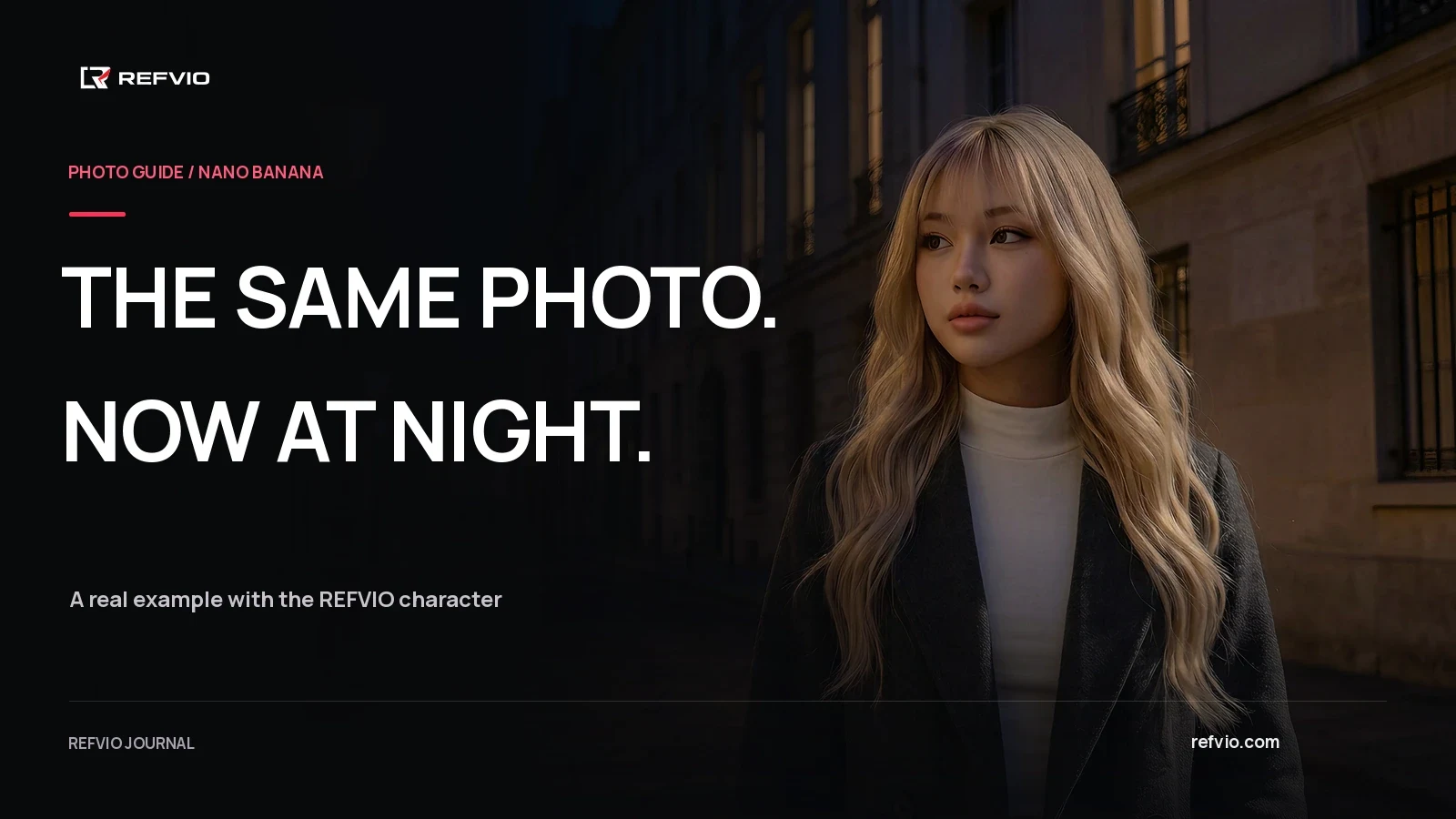
Have a good daytime travel photo but need a night version for an editorial layout? This example shows how Nano Banana 2 changes the same street from day to night: the sky becomes deep blue, lamps and windows glow, and the woman remains in the same pose and coat.
Both images are AI-generated in REFVIO with its character, not camera photographs of a real person. The source uses face and body references; the result uses the source frame as the editing reference.
Source and actual generated result
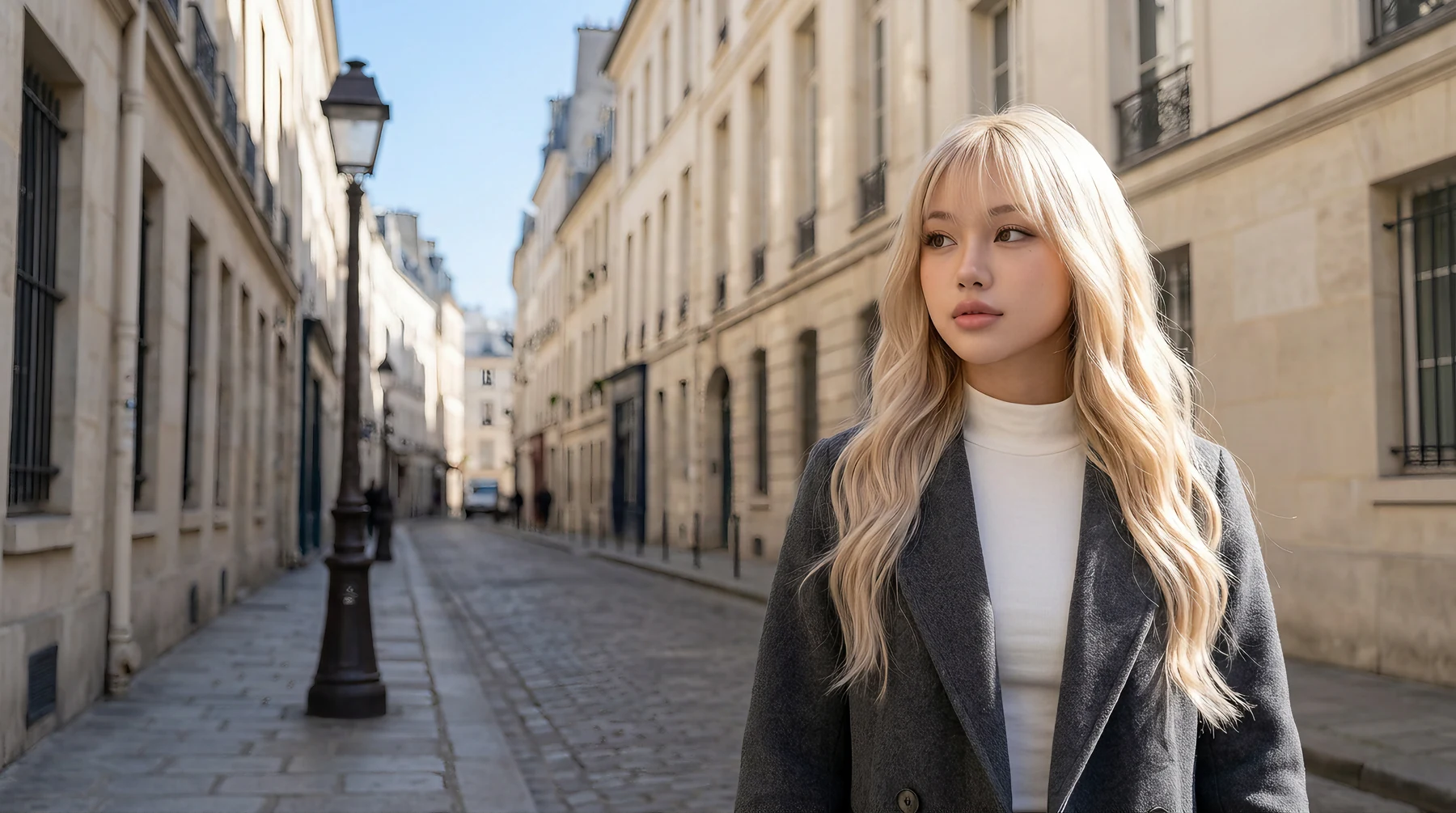
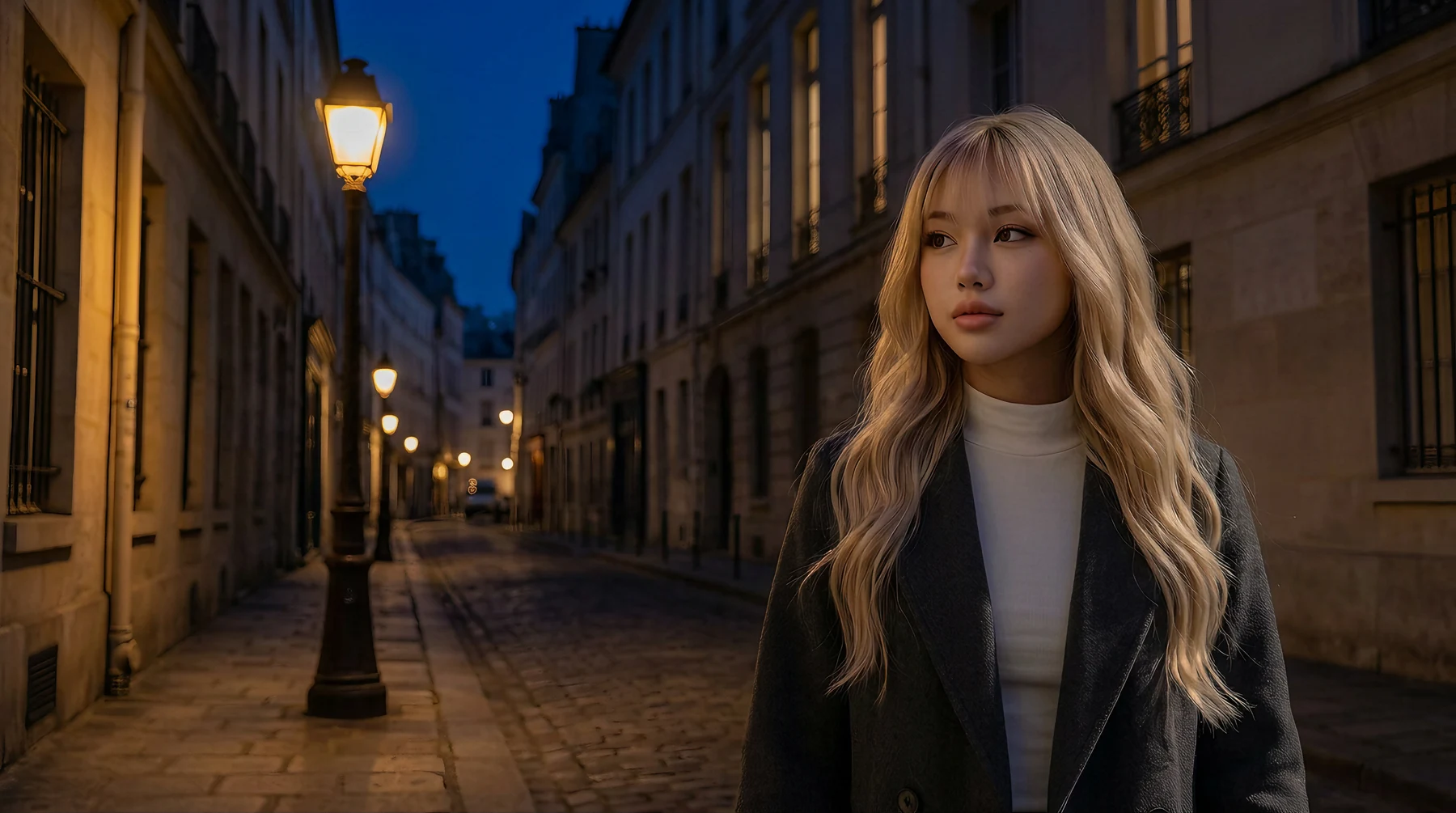
What the edit changes
This is more than applying a dark filter. The prompt asks Nano Banana 2 to remove direct daytime sunlight and build a convincing night lighting setup: a dark blue sky, warm street lamps, a few glowing windows, warm pools of light on the pavement and soft shadows.
The fixed elements are specific: the same woman, face, blonde hair, charcoal coat, pose, camera position, crop, buildings and objects. The image remains a 16:9 landscape composition, with the supplied result prepared at 2K resolution.
The visual comparison shows that the character, coat, white top and main street arrangement remain recognizable. There is also a practical limitation: the front lamp changes shape, and extra illuminated lamps appear farther down the street. The edit therefore preserves the scene’s identity without guaranteeing pixel-level background matching.
Repeat the workflow in REFVIO
- Select Nano Banana 2 in REFVIO.
- Add the daytime image as the editing reference.
- Paste the prompt below.
- Keep the supplied 16:9 aspect ratio and 2K resolution.
- Compare the result with the source, checking the face, outfit, pose, perspective and large background elements.
If the goal is a day-to-night conversion, avoid adding new buildings, a different outfit or a season change. Naming the elements that must stay fixed gives the edit a narrower task. Generation is not deterministic, so another run may alter small details even with the same instructions.
The day-to-night prompt
Edit the supplied source photograph. Keep the exact same woman, face, blonde hairstyle, coat, pose, camera position, crop and all buildings and objects in their original positions. Change this same street from daytime to NIGHT, not sunset or twilight. A dark deep-blue night sky, warm illuminated street lamps and a few glowing windows, realistic warm pools of light on the pavement and soft natural shadows. The face is lit gently by the nearby street lamp with recognizable natural features. Remove daytime sunlight. Do not change the location, season, weather, outfit or hairstyle. No neon or fantasy effects. Preserve the recognizable identity from the source. Single coherent editorial photograph, no collage, no added text, no watermark. 16:9 landscape.
In plain terms, the prompt keeps the character, composition, clothing, buildings and camera position while changing the time of day and its lighting. It explicitly rules out twilight, neon, fantasy effects, a new setting and added text.
How to judge the result
Check the face and silhouette first. Then compare the street line, major buildings and crop. Finally, inspect the light sources: they may be reshaped or supplemented even when the prompt asks for the original objects to remain. That can be acceptable if the overall scene still reads as the same location.
For a practical next step, run one version with this prompt and keep the source beside it. Compare four points: face, outfit, pose and street perspective. If one background object changes too much, name that object more precisely in the next edit instead of rewriting the whole request.