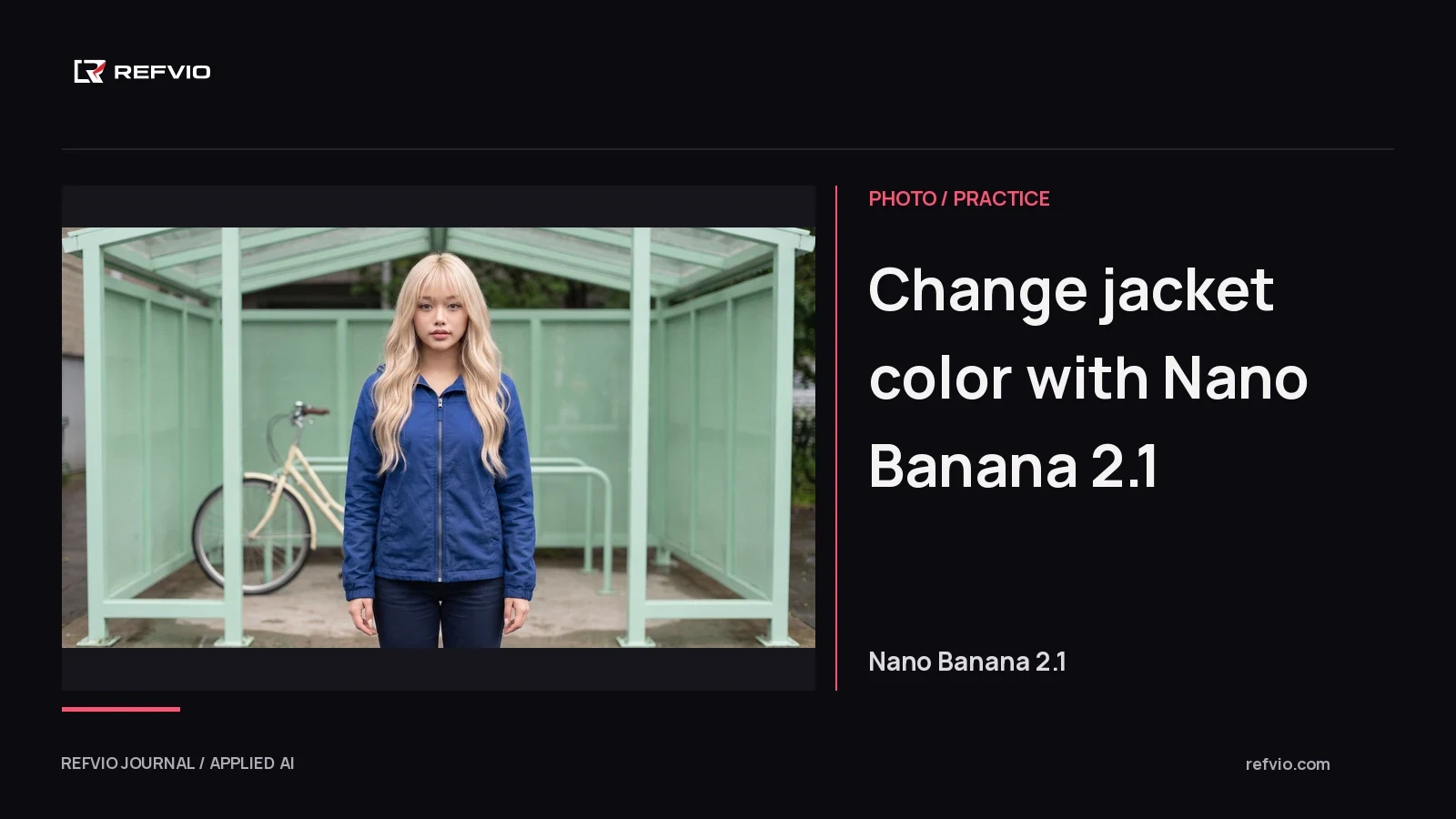
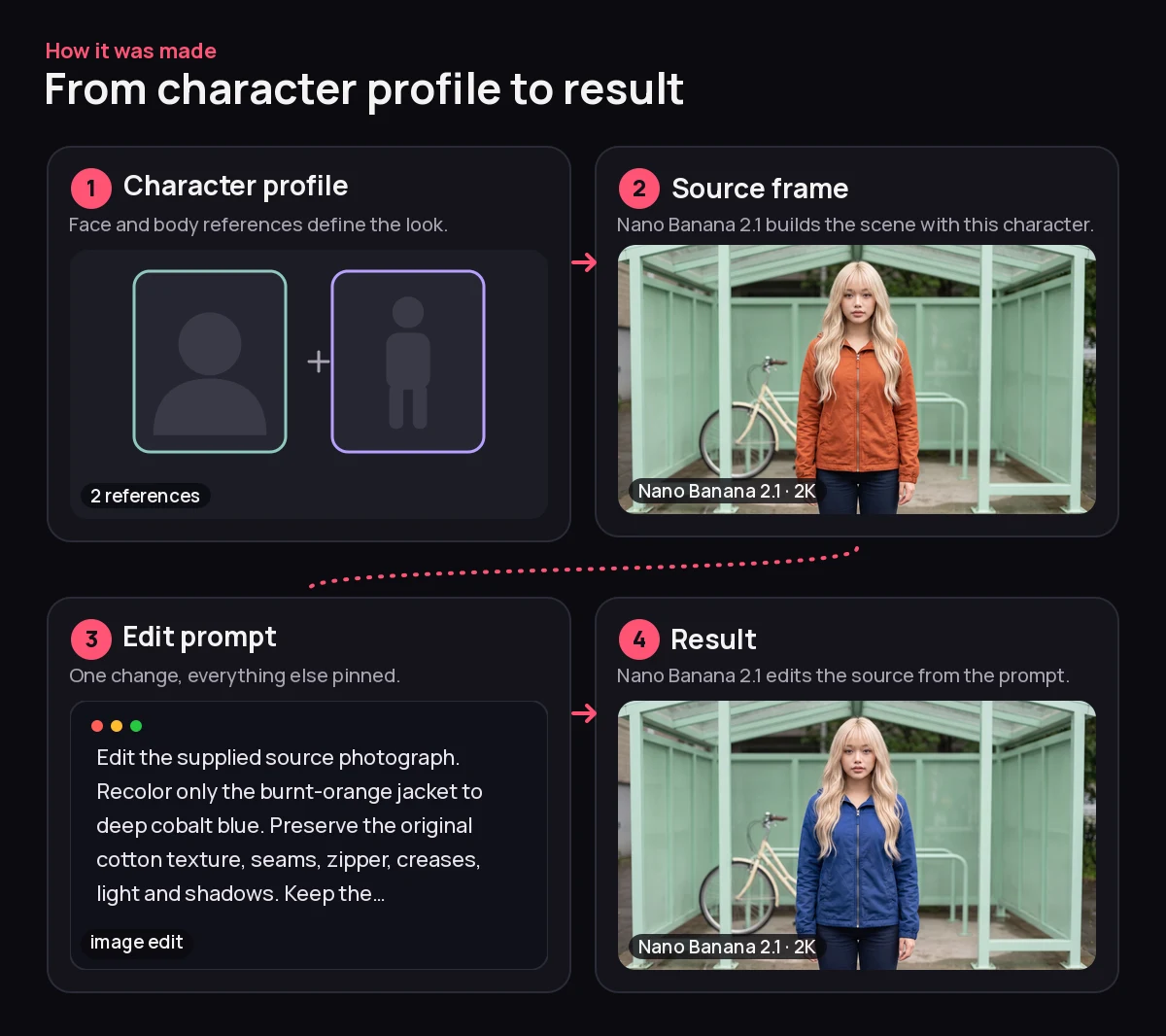
You may want to preview the same jacket in another color without changing its cut, fabric or the rest of the photograph. A broad instruction such as “make the jacket blue” leaves too much undecided. In this example, Nano Banana 2.1 changes the burnt-orange jacket to deep cobalt blue while the source frame guides the edit.
Both images are AI-generated in REFVIO with its saved character profile, not camera photographs of a real person. The profile contains face and body references: it helps create the source scene, while the result stage receives the completed source image.
Source and actual generated result
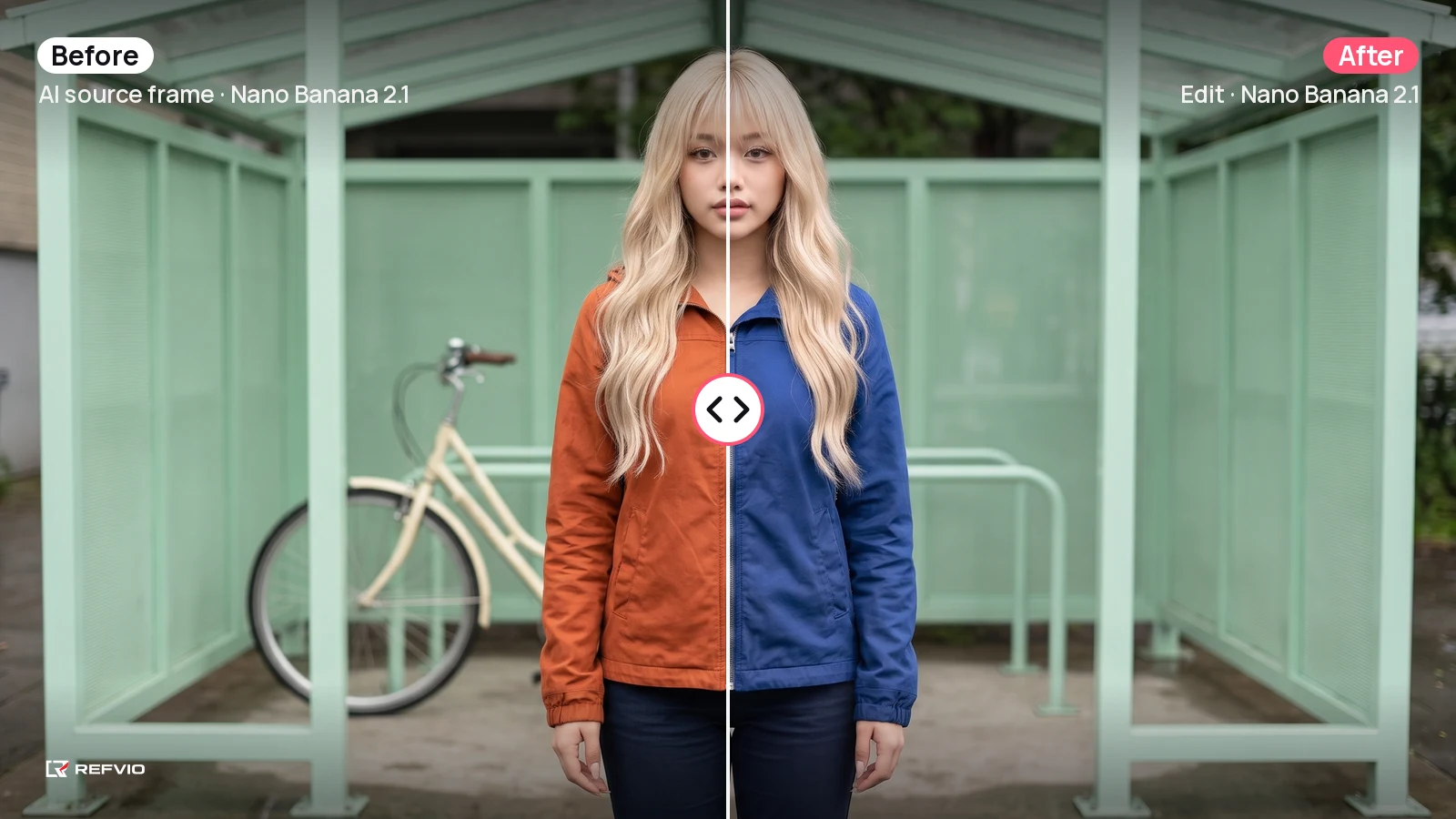
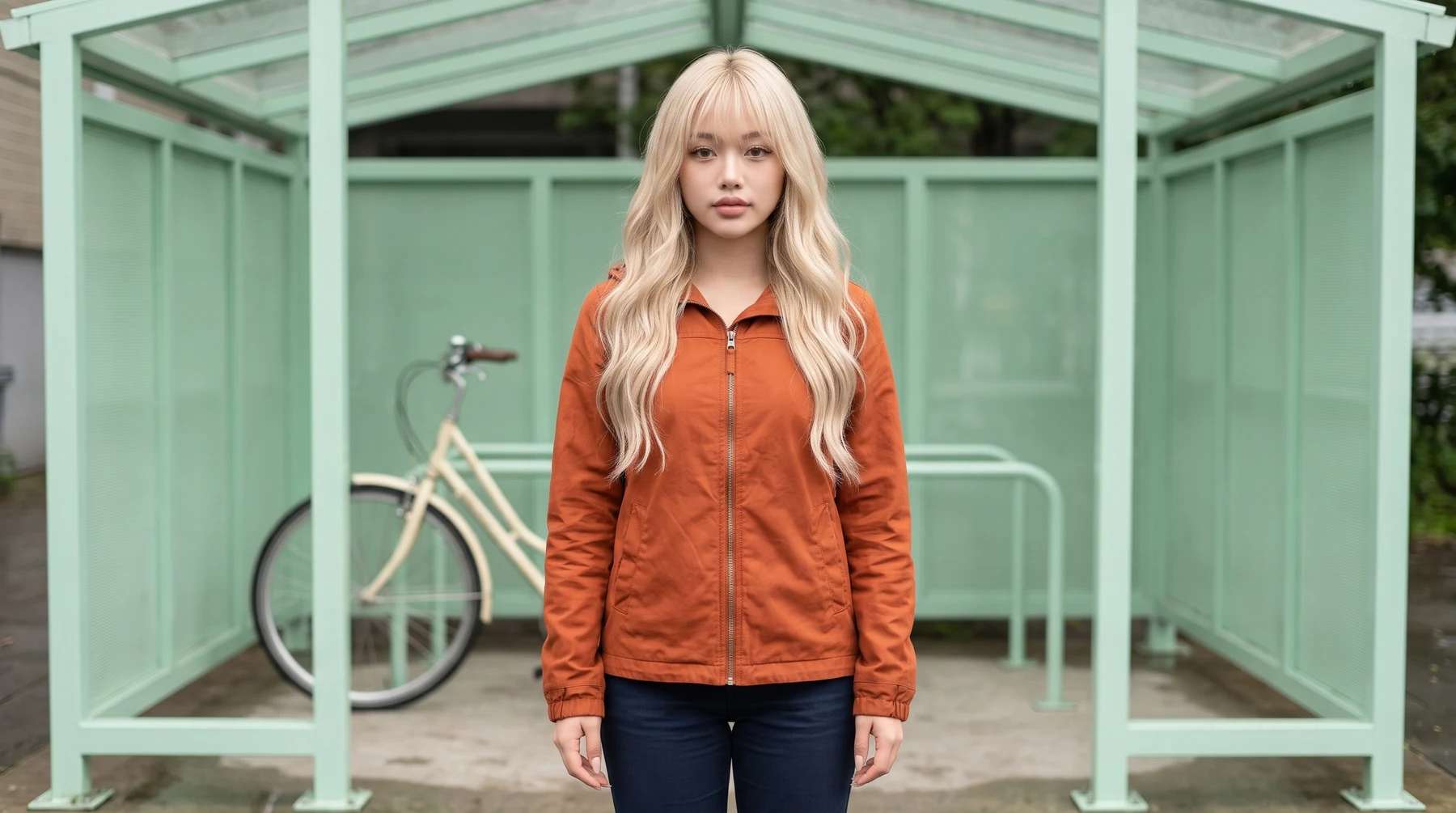
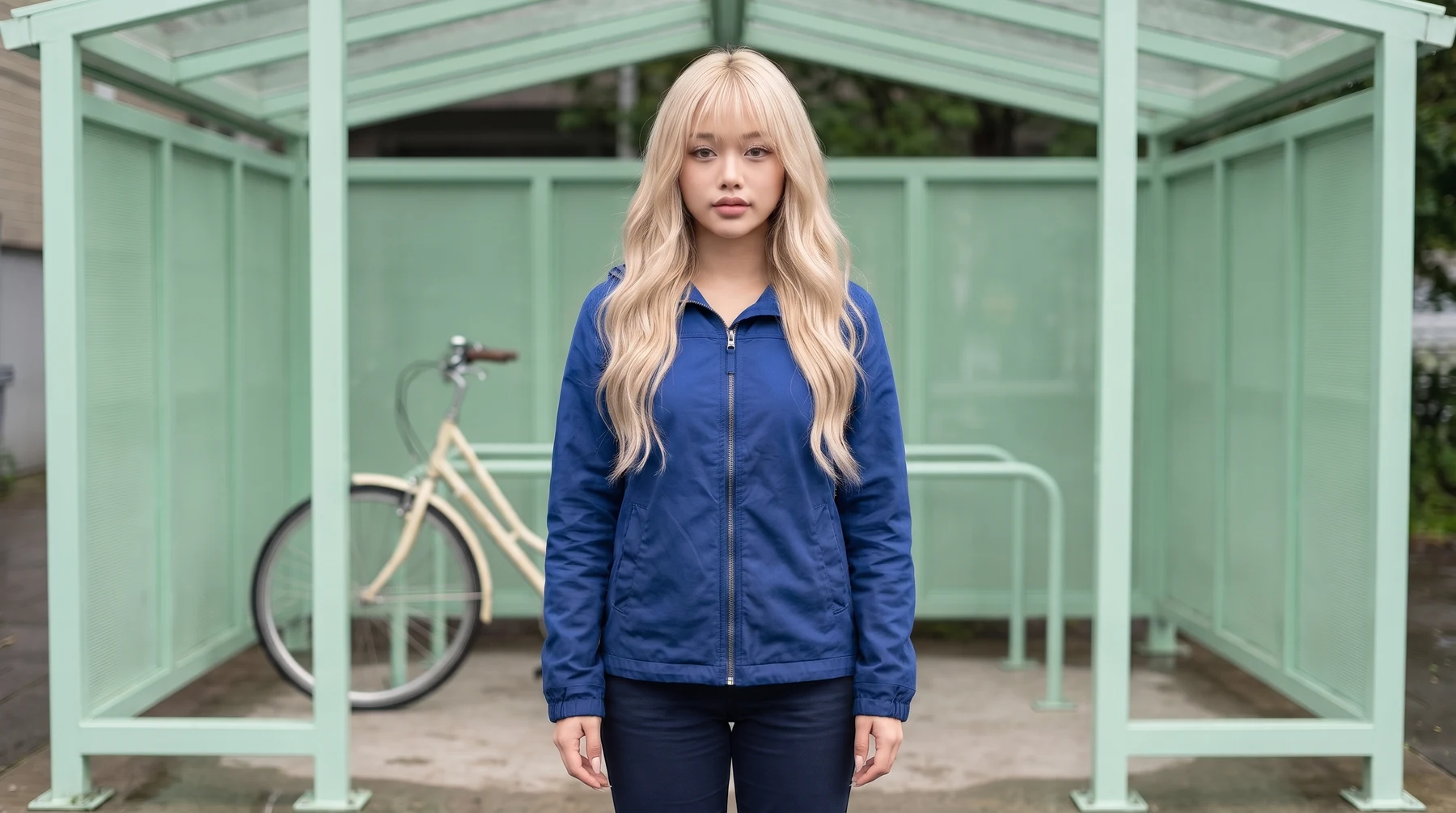
What Nano Banana 2.1 does here
Nano Banana 2.1 serves as the reference-based image editing generator in this workflow. Its input is one generated source image plus a narrowly scoped instruction to recolor one garment. The configured output is one 2K landscape image at a 16:9 aspect ratio. That role fits a color preview because the source supplies the composition, subject position, background and lighting that the edit should preserve.
The two useful controls are the boundary of the change, meaning the jacket only, and the preservation list: cotton texture, seams, zipper, creases, light, shadows, face, trousers, bicycle, shelter and framing. The REFVIO character profile and Nano Banana 2.1 have different jobs. The profile stores face and body references; the generator creates the image. Generation is not deterministic, so a preservation instruction is a request rather than a guarantee.
The jacket color change in this scene
Edit the supplied source photograph. Recolor only the burnt-orange jacket to deep cobalt blue. Preserve the original cotton texture, seams, zipper, creases, light and shadows. Keep the exact face, hair, pose, trousers, bicycle, shelter, camera and framing unchanged. Do not tint skin or the whole image. Preserve the recognizable identity from the source. Keep the lens character, grain and photographic style of the source except where this edit requires a change. Single coherent 16:9 landscape photograph, no collage, added text or watermark.
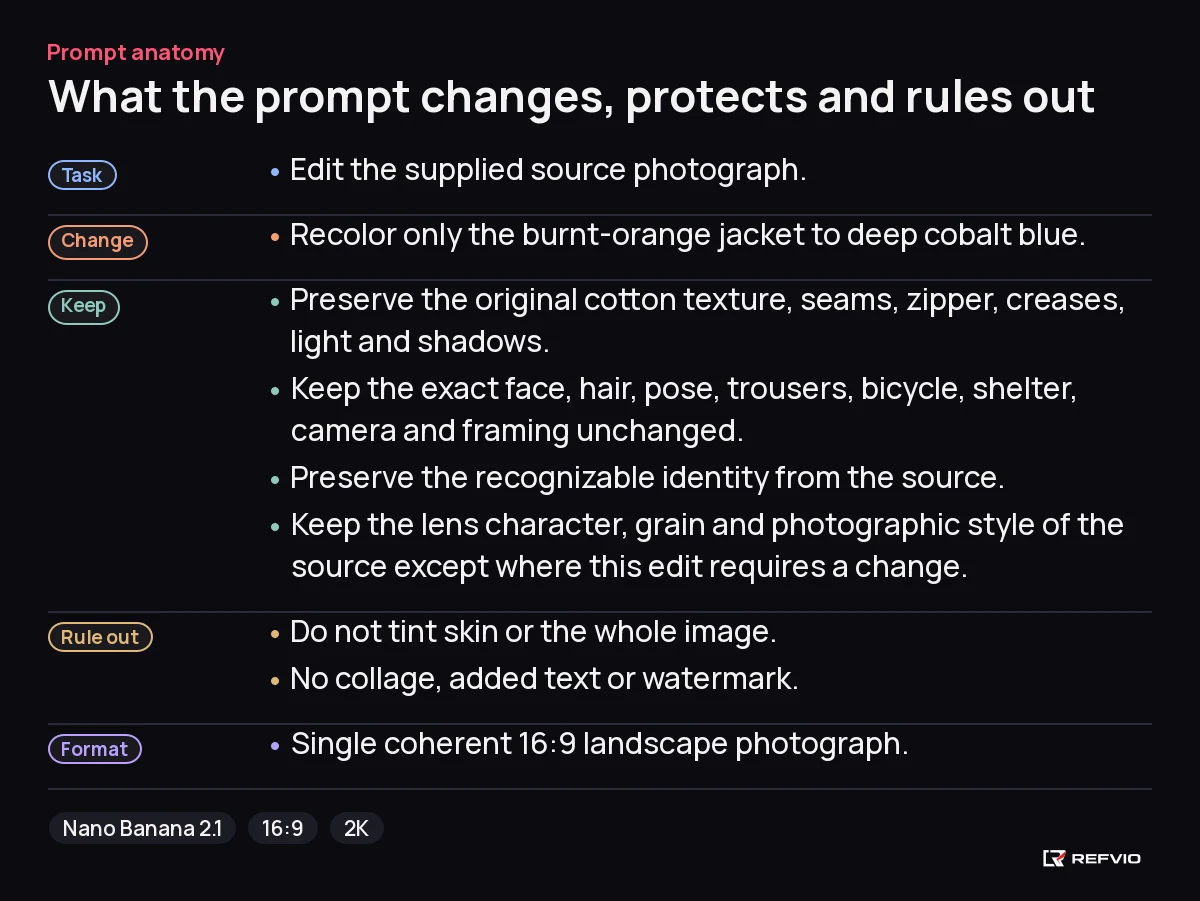
The instruction asks for one controlled edit: replace the jacket color with deep cobalt blue. It also fixes the cotton texture, seams, zipper, creases, light and shadows. The remaining clauses protect the skin, face, hair, pose, trousers, bicycle, shelter, camera and composition from unnecessary changes.
A practical REFVIO workflow
- Select Nano Banana 2.1 in REFVIO. Choosing the exact configured generator keeps the editing stage separate from the creation of a new source scene.
- Supply the source image as the editing reference. In this scene, check that the knee-up figure, visible sleeves and zipper, mint shelter and stationary cream bicycle are clear enough to compare later.
- State one change: replace the burnt-orange jacket with deep cobalt blue. Then name what must remain fixed. A narrow instruction gives the comparison a clear target.
- Specify the cotton texture, seams, zipper, creases, light and shadows as preserved details. Add that the skin and overall image must not be tinted. This separates garment recoloring from global color grading.
- Apply the supplied settings: 16:9 aspect ratio and 2K resolution. Keep the operation limited to the existing scene, with no added text, logos, objects or alternate composition.
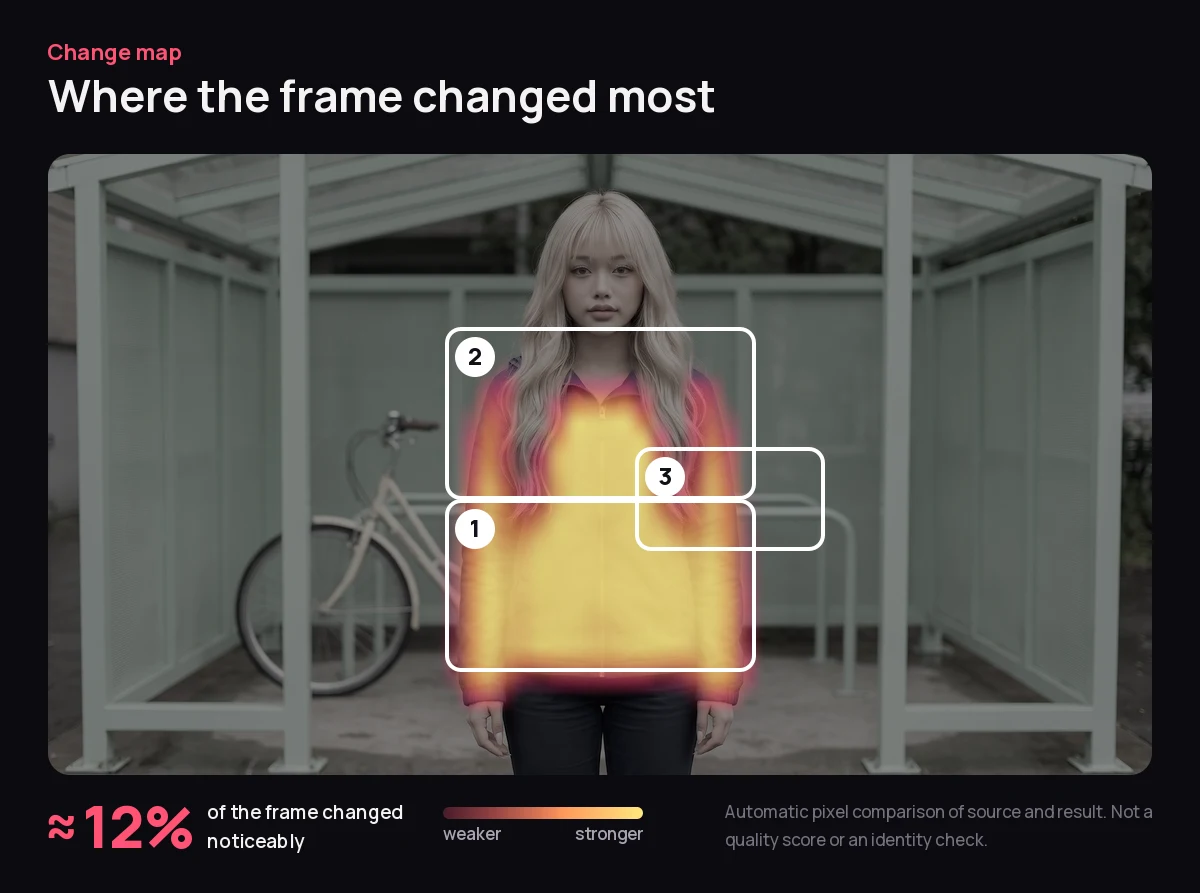
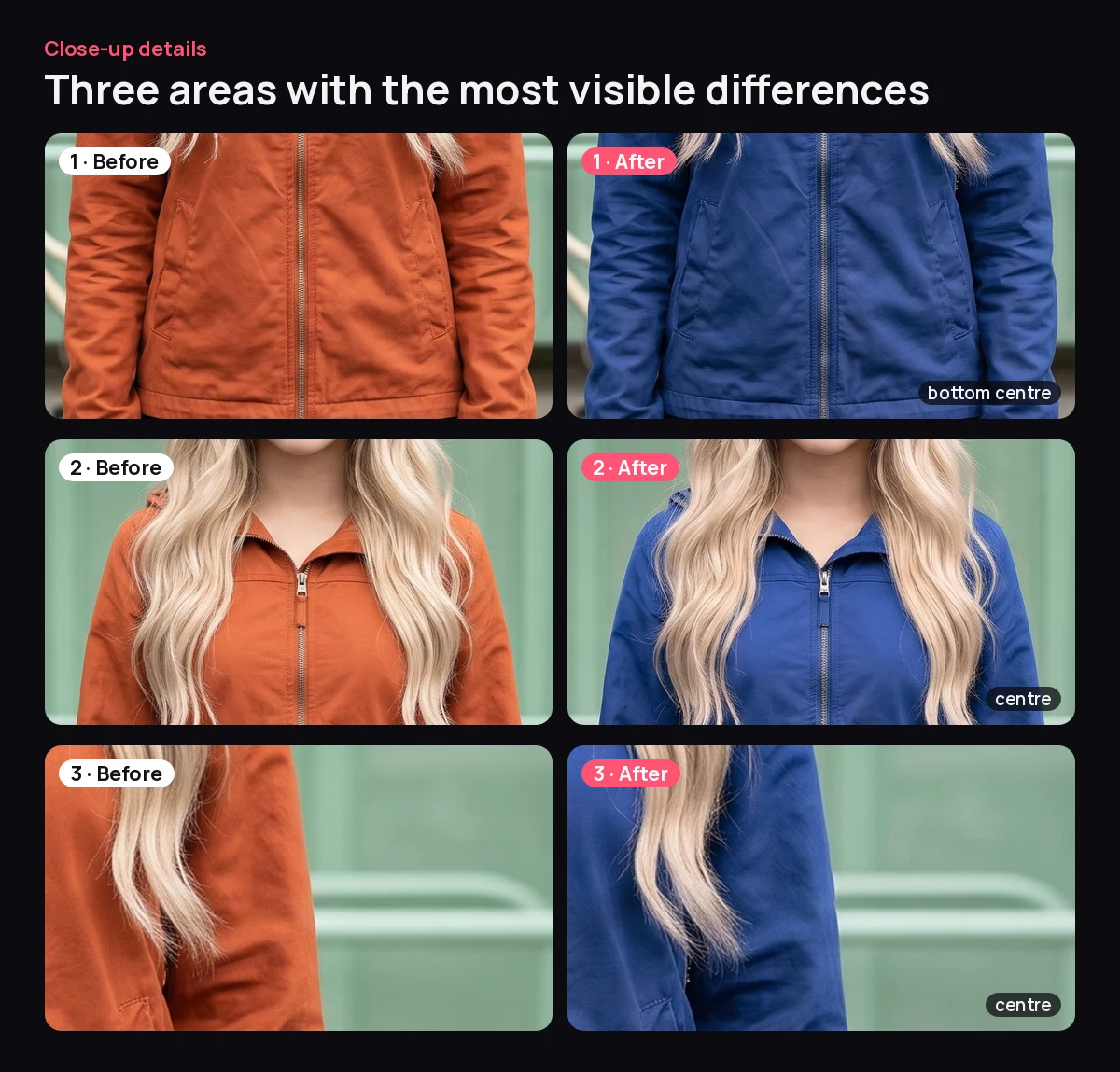
- Compare the result with the source at full size. Inspect seams, zipper, cuffs and sleeve edges, then check the neutral shelter surfaces and skin. The automatic comparison for this pair reports approximately 12% of the frame area as different, but that is not a quality score or proof of which objects changed.
Checks before accepting the result
The first risk is at the garment edges. Zoom in and check whether the new color has spread onto cuffs, the background or areas beside the zipper. The second is unwanted global grading: the skin, pale shelter and cream bicycle should remain neutral when the task is limited to the jacket.
Bad instruction: “Make the jacket blue and improve the photo.” It does not define the shade, fabric, lighting or boundaries. Better: “Recolor only the burnt-orange jacket to deep cobalt blue; preserve the cotton texture, seams, zipper, creases, light and shadows; do not change the skin, background or framing.” This is guidance for a next attempt, not the report of a separate generation.
If an unwanted area changes, narrow the instruction to the garment and repeat the fixed-object list. If the color becomes a flat fill, name the fabric weave, folds, seams and natural shadows again, without asking for a general enhancement. Image editing can synthesize hidden or absent detail, so that detail should not be treated as authentic recovery.
Your next check
Keep the source beside the result at the same scale. Use this compact checklist: the jacket has the intended color, the cotton texture remains visible, seams and zipper read clearly, the skin and shelter stay neutral, and the requested 16:9, 2K output is retained.