You asked to change the background and got a different person. That is rarely bad luck: most of the time the prompt itself pulls the face away. Below is one real example in Nano Banana 2.1: one source photo and two prompts, where the face stayed the same after one and became a different person after the other.
The source photo and both results were generated in REFVIO with a fictional character, not a photo of a real person.
What we tested
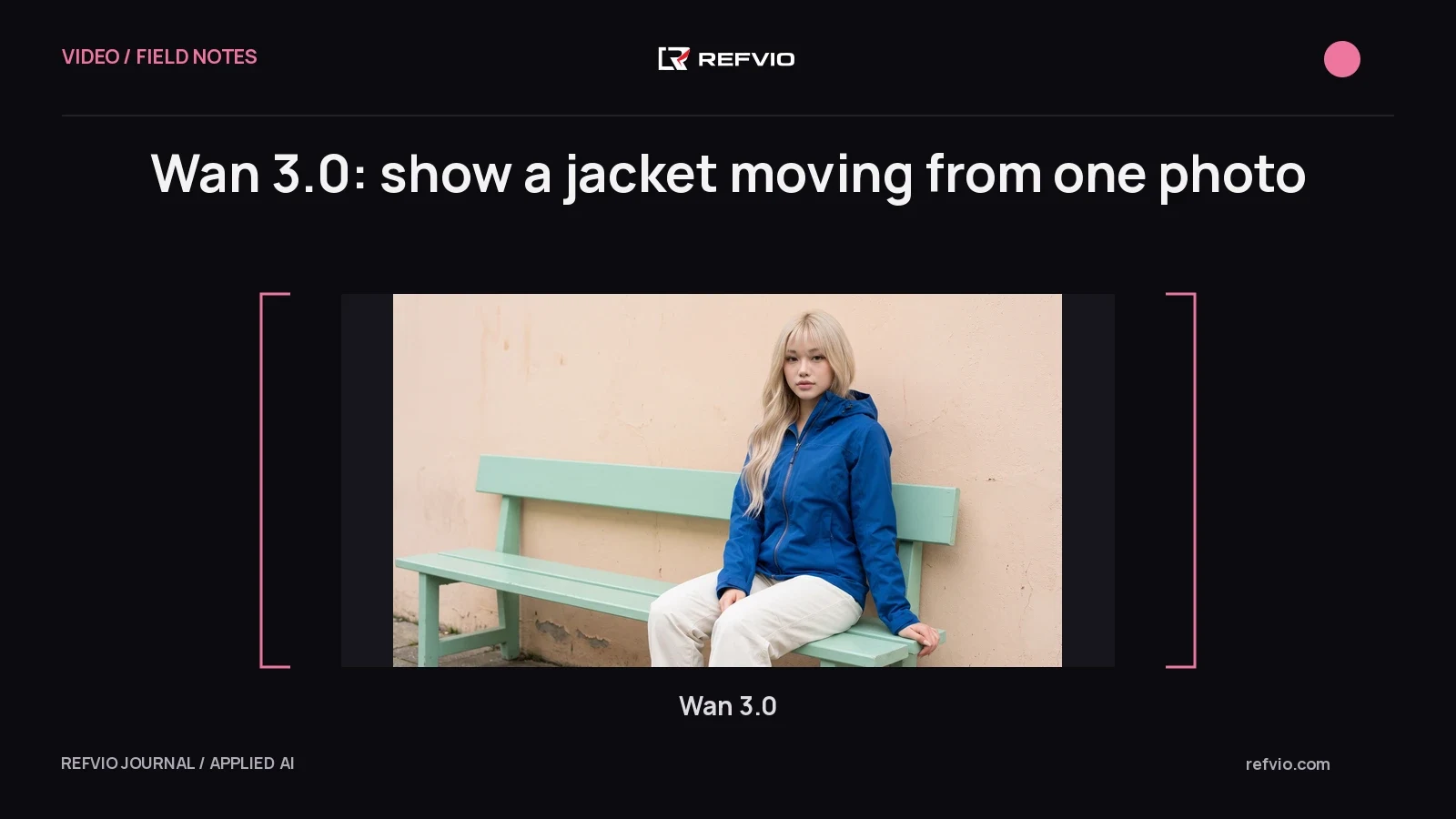
We took one photo: a young woman in a blue jacket standing by a bus shelter. Model Nano Banana 2.1, "From description" mode, this photo as the only reference, 2K quality. One image costs 12 credits (price in the cabinet on 15 November 2026).
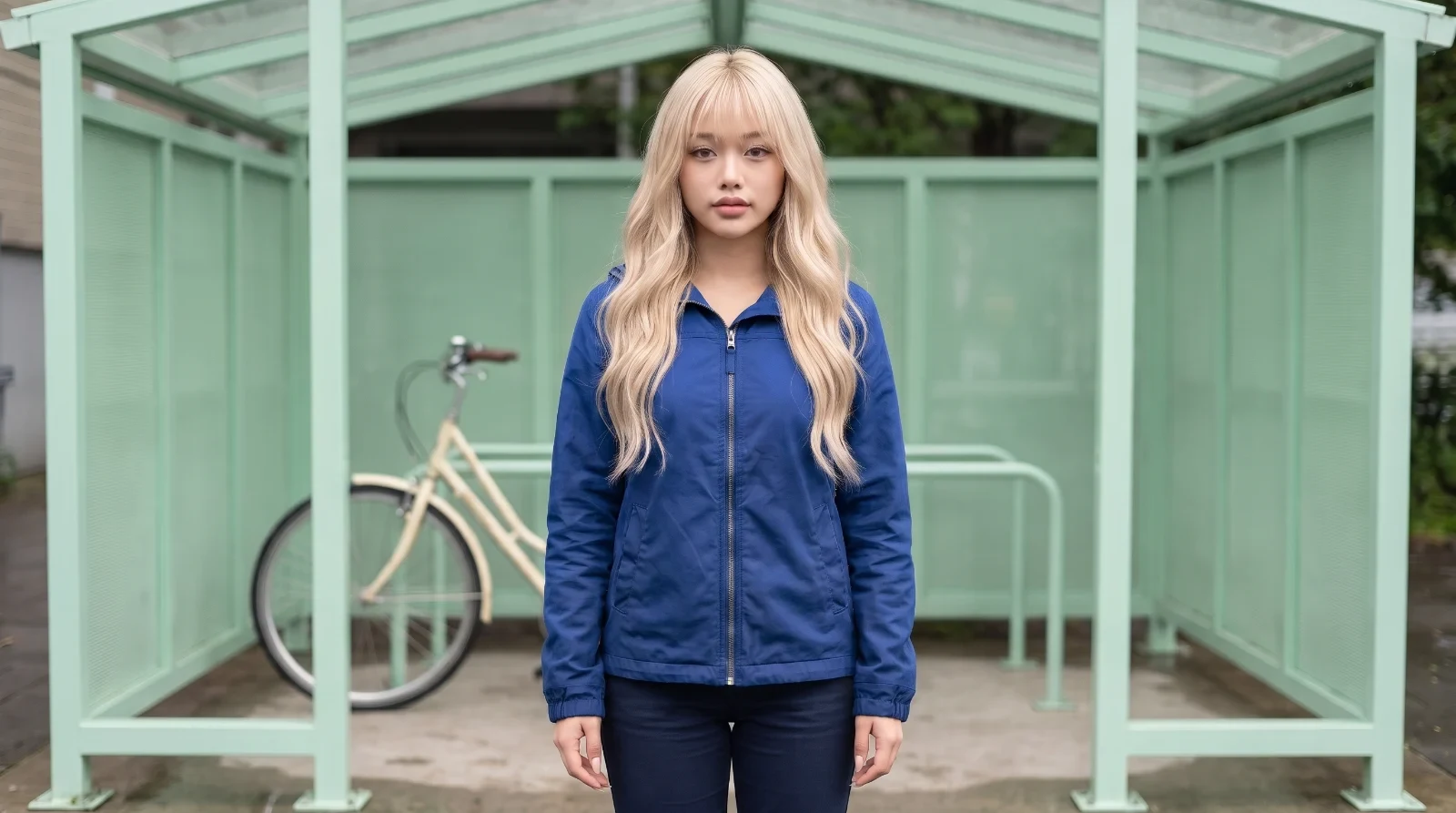
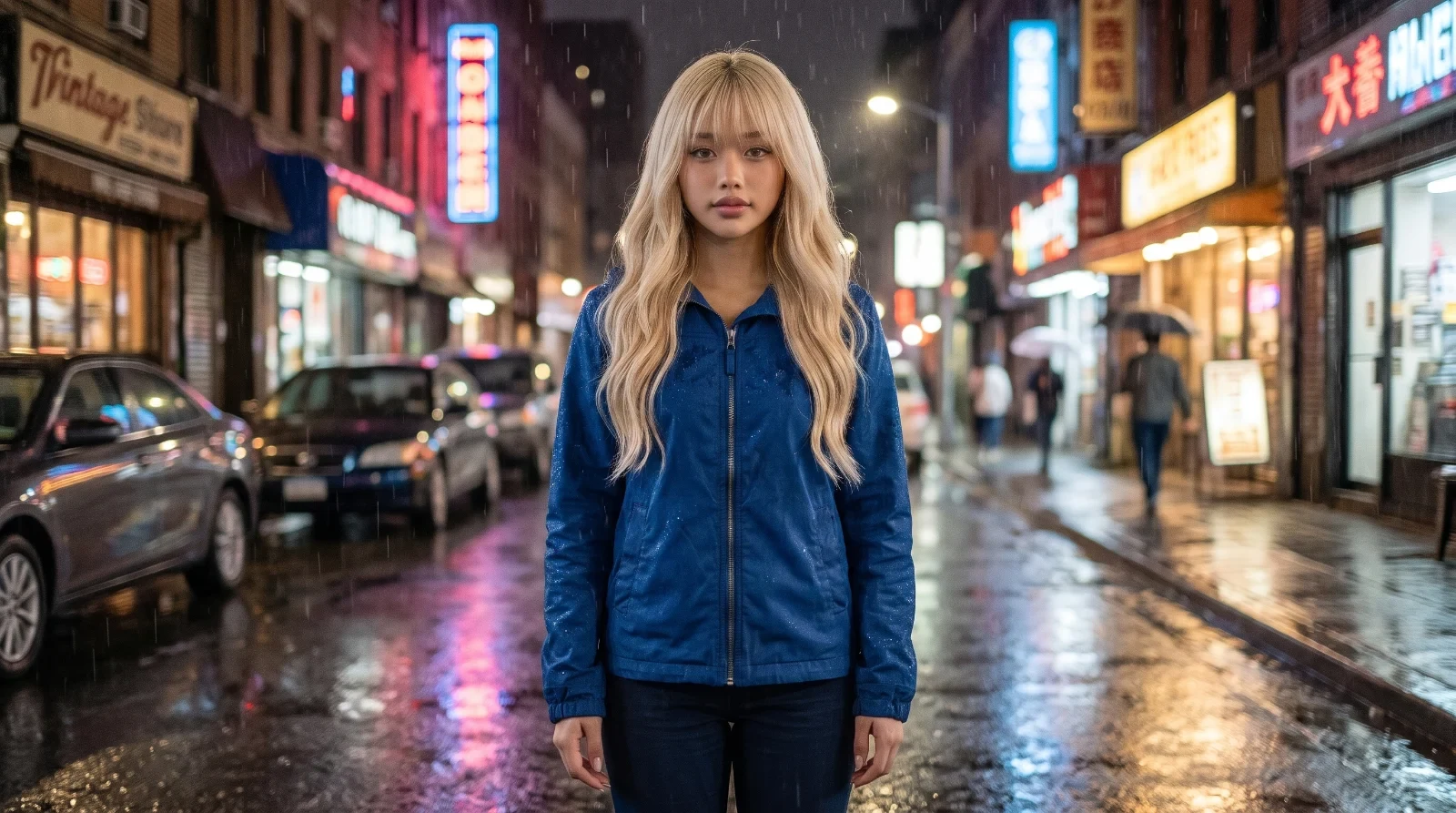
Prompt 1, focused: "Change only the background: put her on a rainy night street with soft neon signs. Keep her face, hair and blue jacket exactly as in the reference photo. Same pose."
Prompt 2, overloaded: "Put this woman on a rainy night street with neon signs. Dramatic cinematic lighting, new dark bob haircut, round glasses, black leather coat, smiling at the camera, 85mm lens, shallow depth of field."
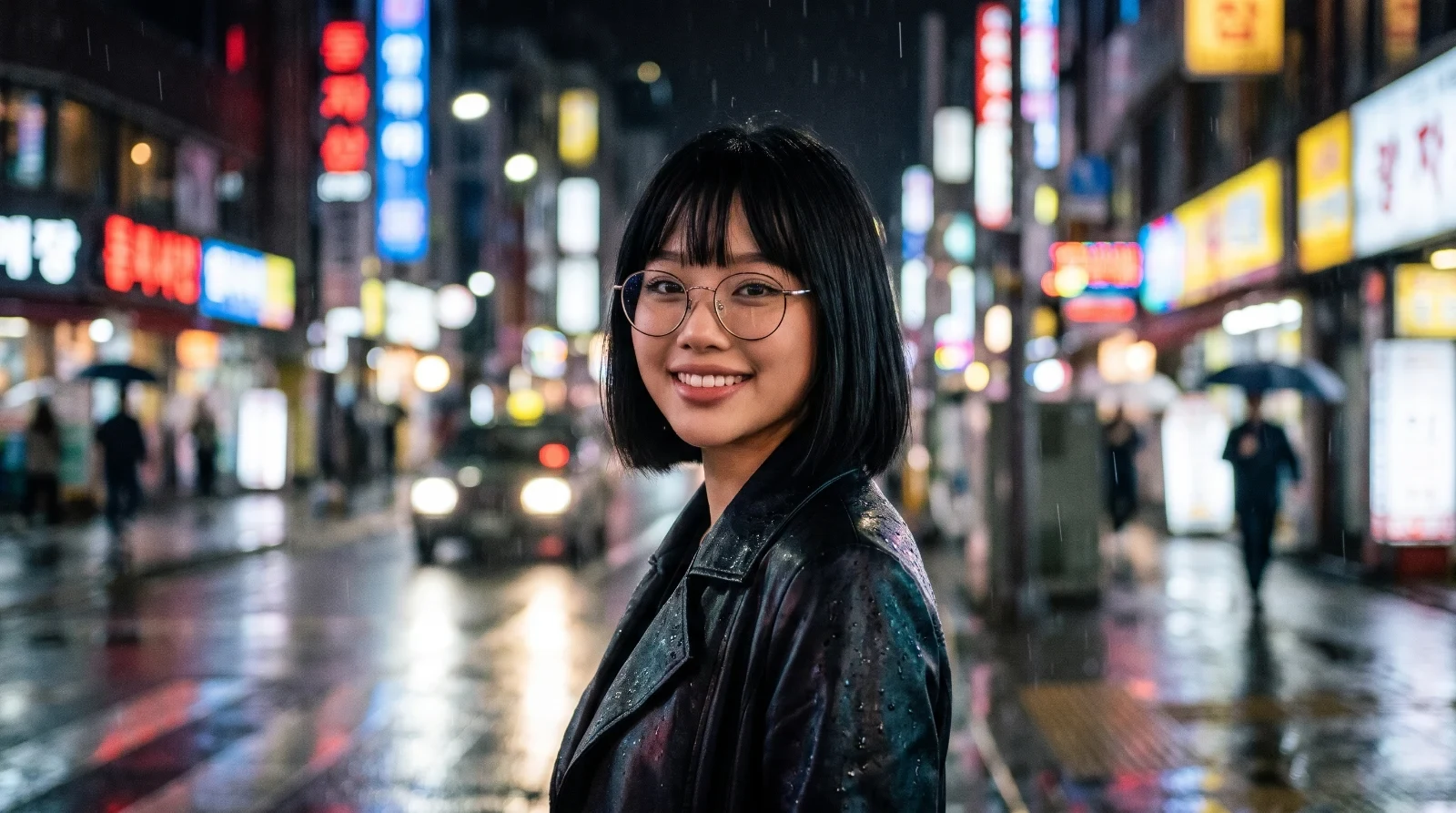
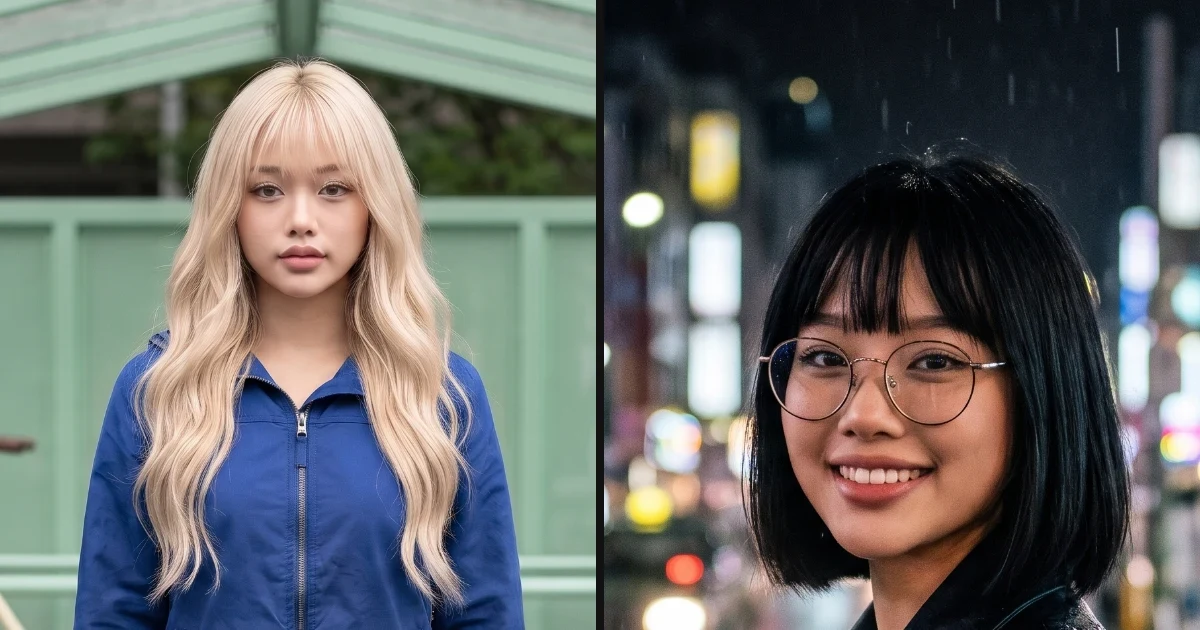
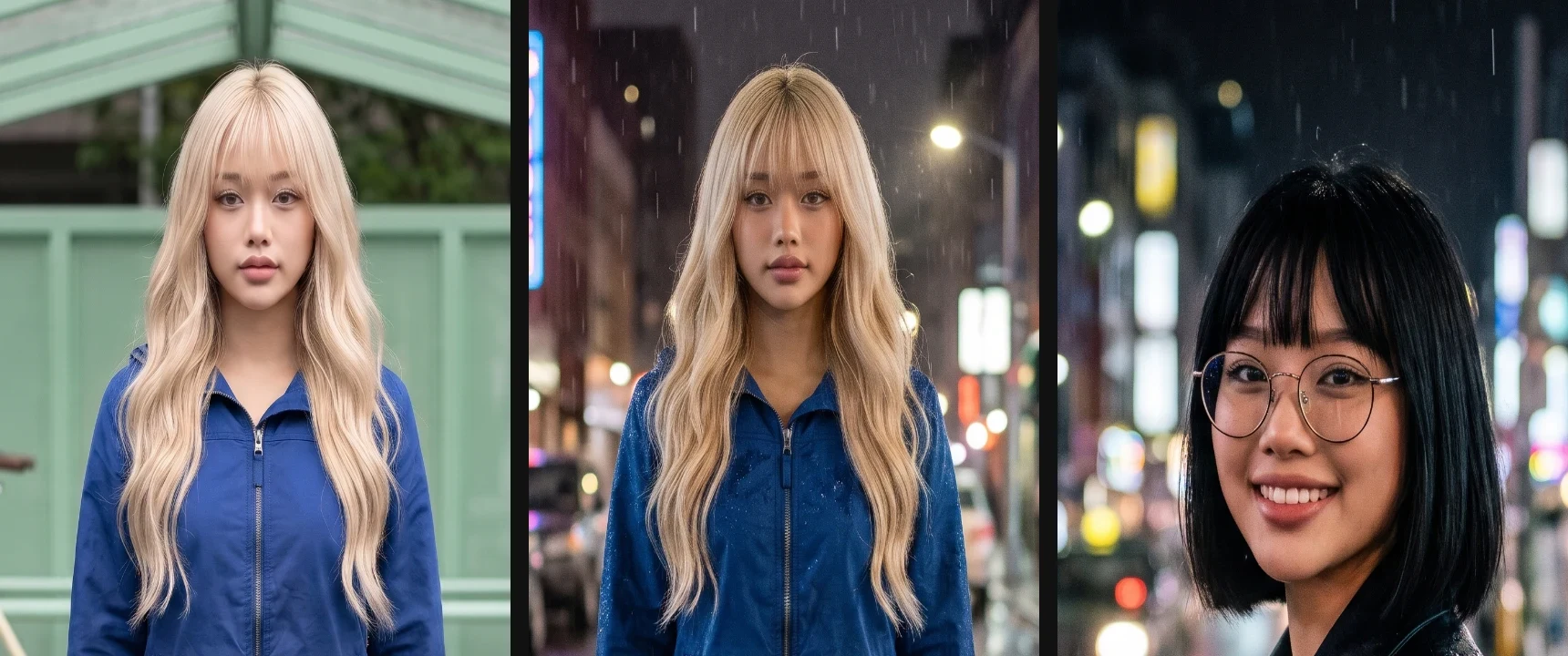
In the second prompt we asked for a new haircut, glasses and a coat, so those changed on purpose. But the face changed with them: in our judgment it is a different woman. This is one run per prompt, not statistics: a repeat will differ in details, but the direction is clear.
The faces up close: compare for yourself
Cause 1: too many changes in one prompt
Every extra detail, whether hairstyle, glasses, clothes, light or lens, is one more place where the model rewrites the picture. The longer the list, the less of the original person is left. Change one thing at a time.
Cause 2: you did not say what must stay
The focused prompt said outright that the face, hair and jacket stay and the pose is the same. Without such a line the model decides what to change. A working pattern: "Change only X. Keep Y exactly as in the reference."
Cause 3: a big change of light, style and angle
Phrases like "dramatic cinematic lighting" and "85mm" ask for a different photograph altogether: other light, other optics, other angle, and the face in that photograph is drawn again. In our example these words came together with everything else, and we did not test them alone. If you need new light, change only that and compare with the source.
Cause 4: a chain of edits
If you edit the result of the previous edit instead of the source photo, small shifts add up: every step starts from an already slightly changed face. Make each new variant from the source photo. We did not test a chain in this example; this follows from how the process works.
Cause 5: in video the face drifts with motion
When a photo becomes a clip, compare the first and the last frame. The bigger the head turn and the closer the shot, the higher the risk that the face changes by the end. If it drifted, simplify the motion to one action and run it again.
A one-minute face check
- Open the source photo and the result side by side.
- Compare three places: eyes and brows, nose and lips, hairline and forehead.
- If two of the three do not match, treat the face as drifted (a rule of thumb, not a measurement).
- Repeat with a shorter prompt, from the source photo, with the line "Keep her face … exactly as in the reference".
- Keep only the variant where all three places match.
What is not guaranteed
A kept face is not guaranteed even with a focused prompt: generation is not deterministic, so always review the result before you publish it. In this example no character profile was used, only one reference. In the "From reference" mode the face comes from a saved character and only the makeup changes, which helps but does not replace the check. Work with your own photos, with the consent of the people in them, or with a fictional character.
What to do next
Take your own photo and write the prompt as "change one thing, keep the rest". Compare the result with the source across the three places listed above.